













公式サプライヤー
公式および認定ディストリビューターとして200社以上の開発元から正規ライセンスを直接ご提供いたします。
当社のすべてのブランドをご覧ください。
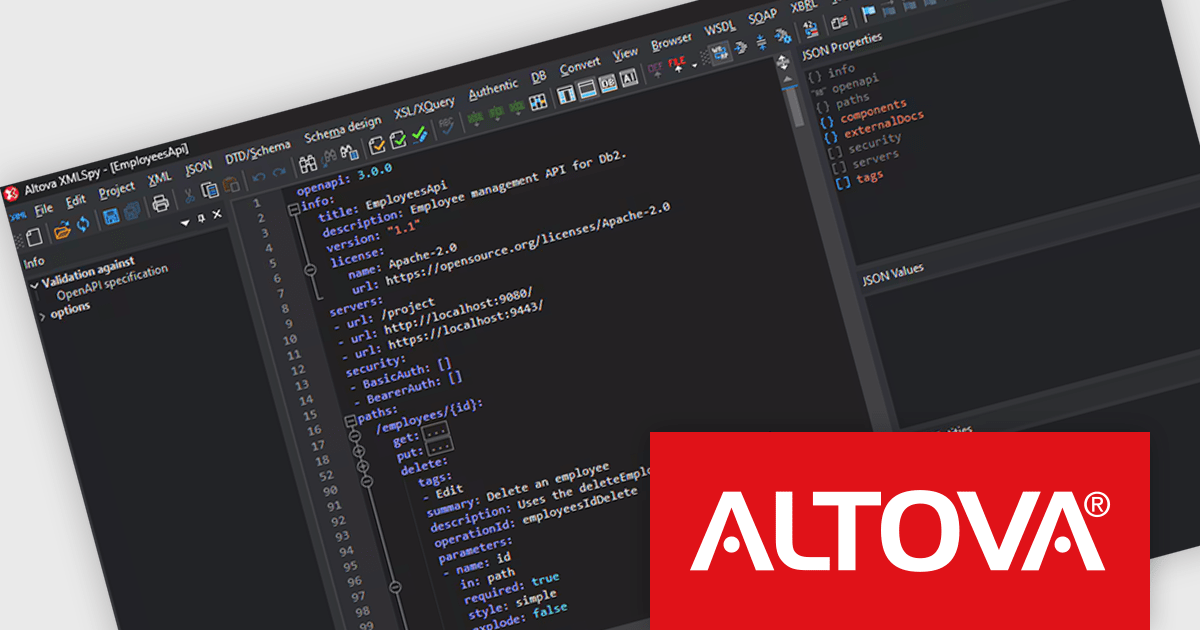
Altova XMLSpy is a leading XML editor and integrated development environment (IDE) designed for creating and manipulating XML-based applications. It offers a comprehensive suite of tools for working with XML, JSON, XBRL, schemas, transformations, web services, and more. XMLSpy empowers developers to visually design schemas, edit and debug code, generate code from schemas, and leverage AI-assisted editing and debugging for enhanced productivity.
The XMLSpy 2025 Release 2 update introduces a powerful OpenAPI editor, enabling developers to create and refine OpenAPI Specification (OAS) documents directly within the environment. Building on existing support for JSON Schema validation, the update allows users to work in either a structured grid view or a traditional text editor. Intelligent features such as syntax highlighting, source folding, auto-completion, and context-aware entry helpers improve the editing process, helping teams build and maintain API definitions more efficiently. With support for both JSON and YAML, this release strengthens XMLSpy’s role as a comprehensive tool for modern API development.
To see a full list of what's new in 2025 Release 2, see our release notes.
Altova XMLSpy is licensed per Installed, Concurrent or Named user. Licenses are perpetual, and come with or without 1 year Support and Maintenance Package (SMP). See our Altova XMLSpy licensing page for full details.
Altova XMLSpy XML Editor is available to buy in the following products:
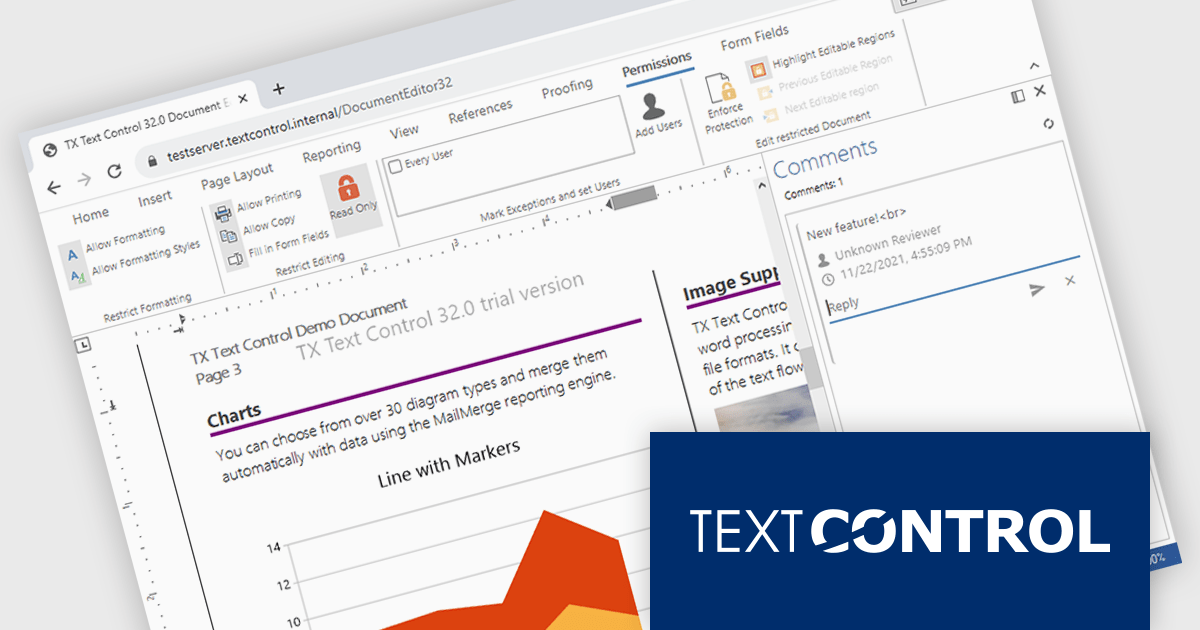
TX Text Control .NET Server for ASP.NET is a server-side component that equips your web applications with a powerful, Microsoft Word-compatible document editor. This allows you to develop applications that generate and edit various document formats (RTF, DOCX, PDF, etc.) on the fly, using data from databases or files. It also boasts features like PDF generation and a browser-based editor with a familiar MS Word-inspired interface, ultimately enhancing the document processing capabilities of your web applications.
The TX Text Control .NET Server for ASP.NET 33.0 release offers full support for Blazor, allowing developers to embed sophisticated document editing and viewing tools directly into their web applications. With this update, users can create and manage documents entirely within the browser - no plugins are required. By extending its document processing capabilities to the Blazor platform, this release supports the shift towards modern, interactive web technologies in the .NET ecosystem, streamlining the development of feature-rich enterprise applications.
For a full list of changes in TX Text Control .NET Server for ASP.NET 33.0, see our release notes.
TX Text Control .NET Server for ASP.NET is licensed per developer and is available as a Perpetual License with a 12 month support and maintenance subscription. Run time licenses are required for the deployment to production servers. See our TX Text Control .NET Server for ASP.NET licensing page for full details.
For more information, visit our TX Text Control .NET Server for ASP.NET product page.

TeamCity by JetBrains is a robust continuous integration and deployment (CI/CD) server that simplifies building, testing, and deploying software. It supports diverse workflows with features like real-time build monitoring, customizable pipelines, and integrations with tools like Git and Mercurial. TeamCity’s intelligent build management, including parallel builds and automated testing, optimizes resources and accelerates delivery. With its user-friendly interface and extensive language and framework support, TeamCity is ideal for teams aiming to streamline development and maintain high-quality code efficiently.
The TeamCity 2025.03 release allows users to encapsulate custom build logic into reusable components called recipes. These are composed of one or more standard build steps and are particularly useful when TeamCity's built-in steps don’t offer a needed capability. For example, if a team regularly uses a Command Line Interface (CLI) step to upload artifacts through a cloud provider's API, that process can now be saved as a named recipe and reused across projects. This enhances consistency, reduces duplication, and makes complex builds easier to manage and maintain.
To see a full list of what's new in version 2025.03, see our release notes.
TeamCity On-Premises is licensed per server and per build agent, and is available as a commercial perpetual license. See our TeamCity On-Premises licensing page for full details.
For more information, visit our TeamCity On-Premises product page.
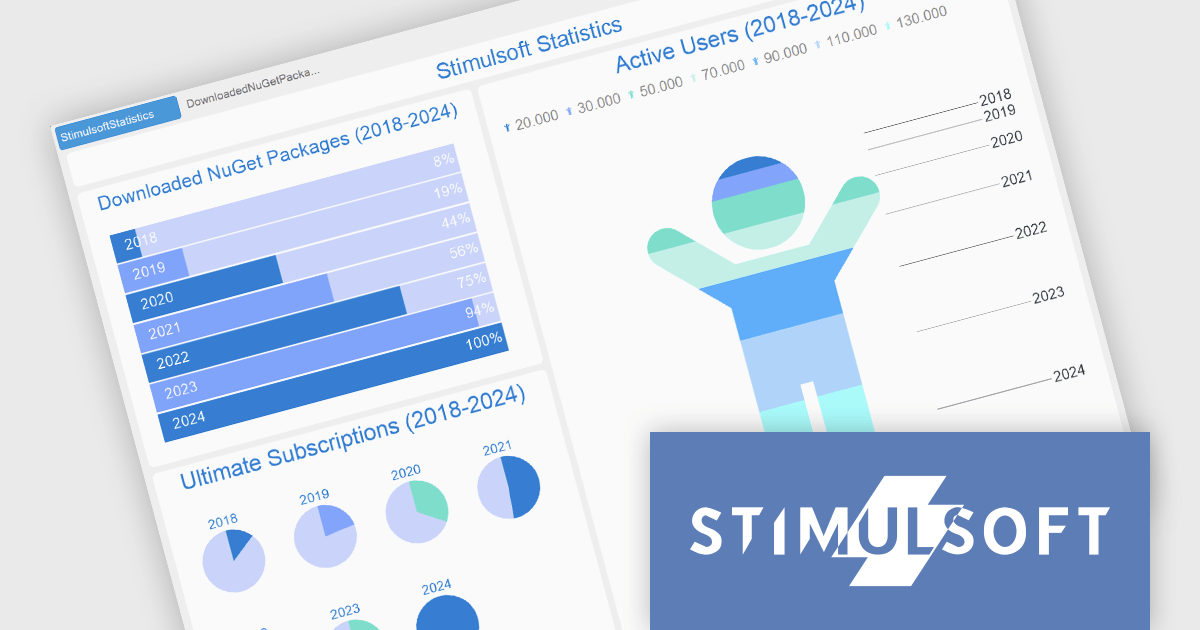
Stimulsoft Dashboards.PYTHON is a data visualization tool specifically designed for building interactive dashboards within Python applications. It combines a client-side JavaScript engine for data processing with a designer component to craft dashboards and a viewer for displaying them. This empowers developers to create clear and informative visual representations of data directly within their Python projects.
The Stimulsoft Dashboards.PYTHON 2025.2.1 update introduces support for interactive actions in the Progress element, allowing developers to enhance dashboard functionality with user-triggered events such as showing tooltips, opening hyperlinks, and navigating to other dashboards. These interactions can be easily configured within the element interaction editor, making it simpler to create more intuitive and informative user experiences without additional coding. This update enables greater flexibility in presenting and accessing related data, streamlining how users interact with progress indicators in real time.
To see a full list of what's new in 2025.2.1, see our release notes.
Stimulsoft Dashboards.PYTHON is licensed per developer and is available as a perpetual license with 1 year support and maintenance. See our Stimulsoft Dashboards.PYTHON licensing page for full details.
Stimulsoft Dashboards.PYTHON is available individually or as part of Stimulsoft Ultimate.
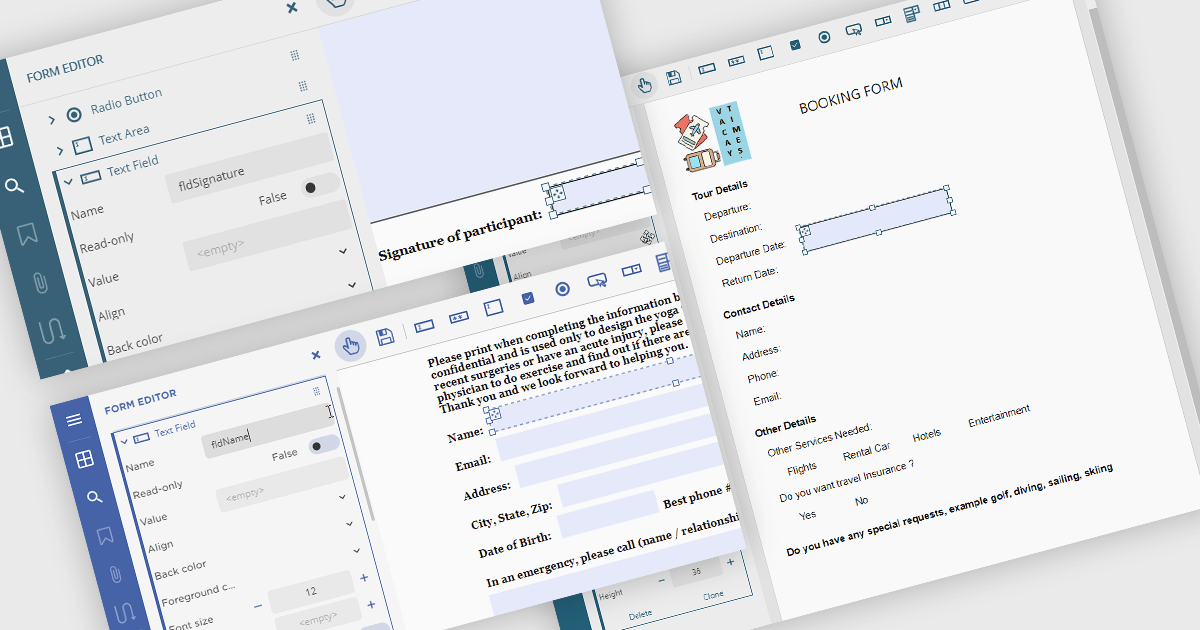
Creating PDF forms involves designing interactive documents that allow users to input data directly within the file, improving data collection and processing. This process typically entails embedding text fields, checkboxes, radio buttons, and dropdown menus into a digital document, making it easy for individuals to complete applications, surveys, or feedback forms electronically. Common use cases include online job applications, tax forms, registration documents for events or courses, and customer feedback surveys, all of which benefit from the secure and widely compatible nature of the PDF format.
Several .NET Winforms PDF components offer support for PDF form creation:
For an in-depth analysis of features and price, visit our .NET Winforms PDF components comparison.
電話: (888) 850 9911
Fax: +1 770 250 6199


