













公式サプライヤー
公式および認定ディストリビューターとして200社以上の開発元から正規ライセンスを直接ご提供いたします。
当社のすべてのブランドをご覧ください。
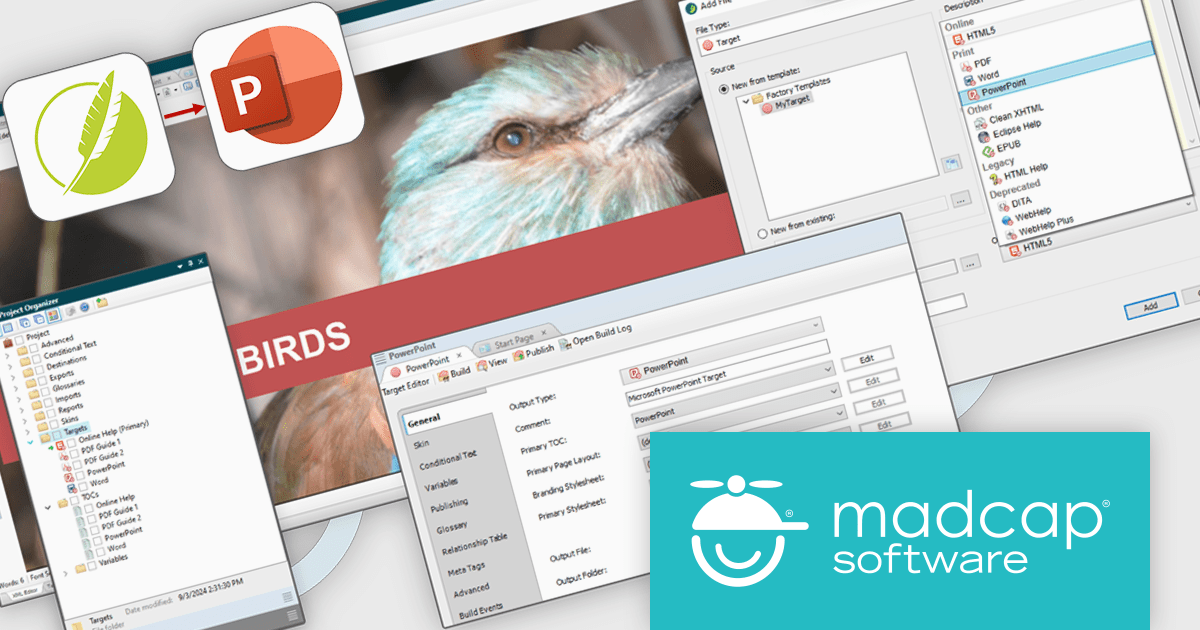
MadCap Flare is a technical authoring tool designed to streamline the creation and delivery of software documentation. It utilizes a single-source, topic-based approach, allowing developers to create reusable content that can be published in various formats, including online help systems, PDFs, and mobile apps. This facilitates efficient documentation management and ensures consistency across different outputs.
The MadCap Flare 2024 r2 release introduces a new feature that lets users generate Microsoft PowerPoint slides (PPTX) directly from Flare projects, simplifying presentation creation. By leveraging single-source reuse mechanisms like variables and snippets, users can update multiple slides simultaneously, ensuring consistency and reducing redundant work. This integration allows for easy customization, maintaining consistent branding across PowerPoint, PDFs, and online content while streamlining workflows. Teams can now collaborate more efficiently, updating content without rebranding, and boosting productivity.
To see a full list of what's new in the 2024 r2 release, see our release notes.
MadCap Flare is licensed per user as an annual subscription and includes Platinum Maintenance (upgrades and support). See our MadCap Flare licensing page for full details.
For more information, visit our MadCap Flare product page.
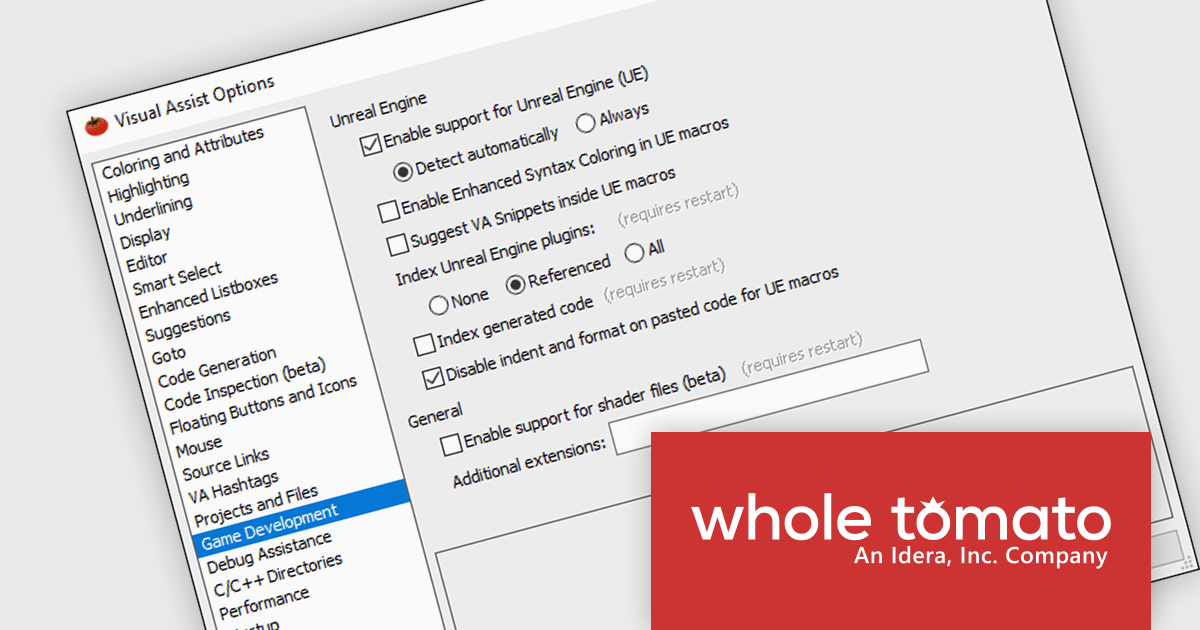
Whole Tomato Software社のVisual Assistは、Visual C++およびUnreal Engineを使用するゲーム開発者向けの強力な生産性向上ツールです。高度なコードナビゲーション、リファクタリング、デバッグ機能を提供し、開発を効率化し、コーディングの生産性を向上させます。Visual Assistは、Unreal Engine 4および5に特化した機能を備え、Visual Studioの限界を超えるサポートを提供します。コンテキストに応じた提案、高速なパフォーマンス、大規模なゲームプロジェクトでも短い読み込み時間が得られます。
特別価格キャンペーン:独立系ゲームスタジオ様はVisual Assist製品を特別50%割引価格でご購入いただけます*。
独立系ゲームスタジオとして特別割引を受けるためには、以下の条件が必要です:
※特別価格キャンペーン価格は2024年10月31日まで有効です。
Visual AssistはUnreal Engineに最適化されたサポートを提供します。
コードを簡単に理解
Visual Assistのパーサーは、Unreal独自のコード言語の文脈を完全に理解し、構文のハイライトやインデントを適切に調整します。UFUNCTIONSやUCLASSを宣言する際の煩わしいタブや誤ったエラー、無名のシンボルは過去のものとなります。
関連するヒントを習得
ほとんどのU*マクロに関して、仕様を迅速に入力でき、ドキュメントを頻繁に確認する手間を省けます。エンジンを修正したり、新しい仕様を追加した場合も、Visual Assistがそれを検出し、提案を追加します。
あらゆる環境で動作
Visual AssistはU*マクロの仕様を読み取り、機能をさらに賢くします。Goto、Goto Related、Find References、Rename、Change Signatureは、暗黙のメソッドもサポートするように拡張されています。
限界を超える
Visual Studioのデフォルトのパーサーには、大規模なゲーム開発に関連するソリューションで問題が発生しがちですが、Visual Assistを使用すれば、誤った赤い波線に悩まされることなく、メモリを他のタスクに回すことができます。
コンテキストに応じたダイアログとドキュメント
Unreal Engine C++のドキュメントは多くの場合コード内に含まれています。Visual AssistはUnrealの拡張コード言語を理解し、基底クラスやU*マクロ仕様からコメントやダイアログを表示します。
詳しくは、Visual Assist の製品ページをご参考ください。
*特別価格キャンペーン対象は以下の新規スタンダードライセンスです。
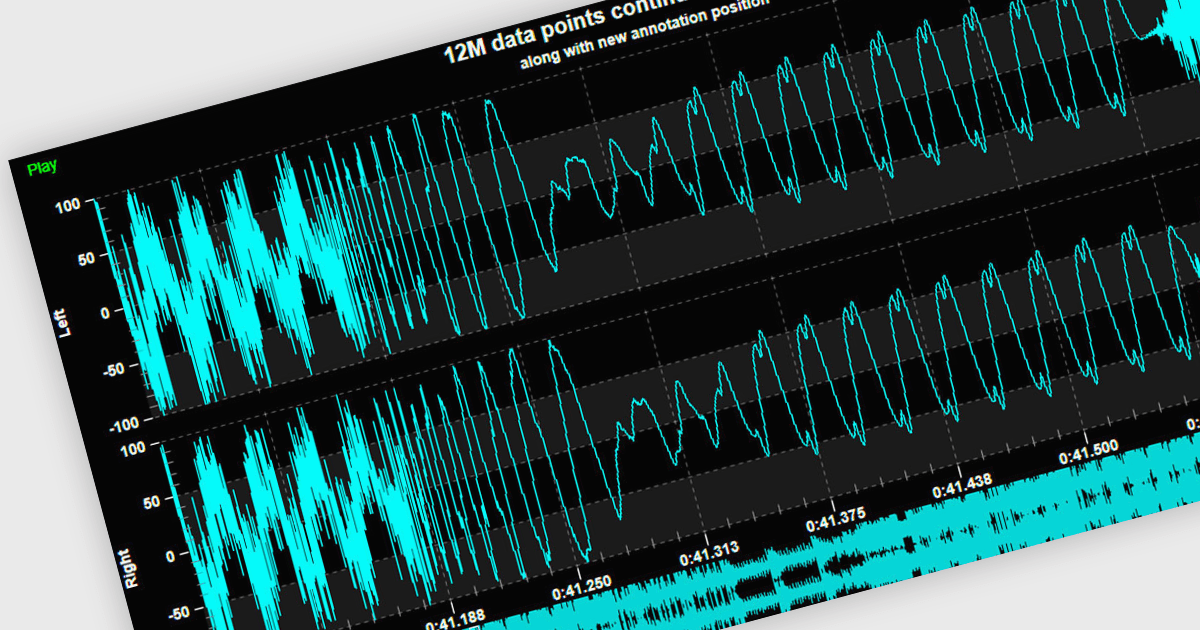
Live data support provides real-time updating of data points on a chart as new information becomes available, without the need for manual refresh or reloading. This feature allows developers to create responsive, interactive applications that can display dynamic data streams, such as financial market data, IoT sensor outputs, or real-time user metrics, directly within a chart interface. Live data enhances the user experience by providing immediate feedback and insight, improving decision-making and performance in applications that require constant data monitoring and analysis.
Several .NET 8 WPF chart controls support live data including:
For an in-depth analysis of features and price, visit our .NET 8 WPF chart controls comparison.
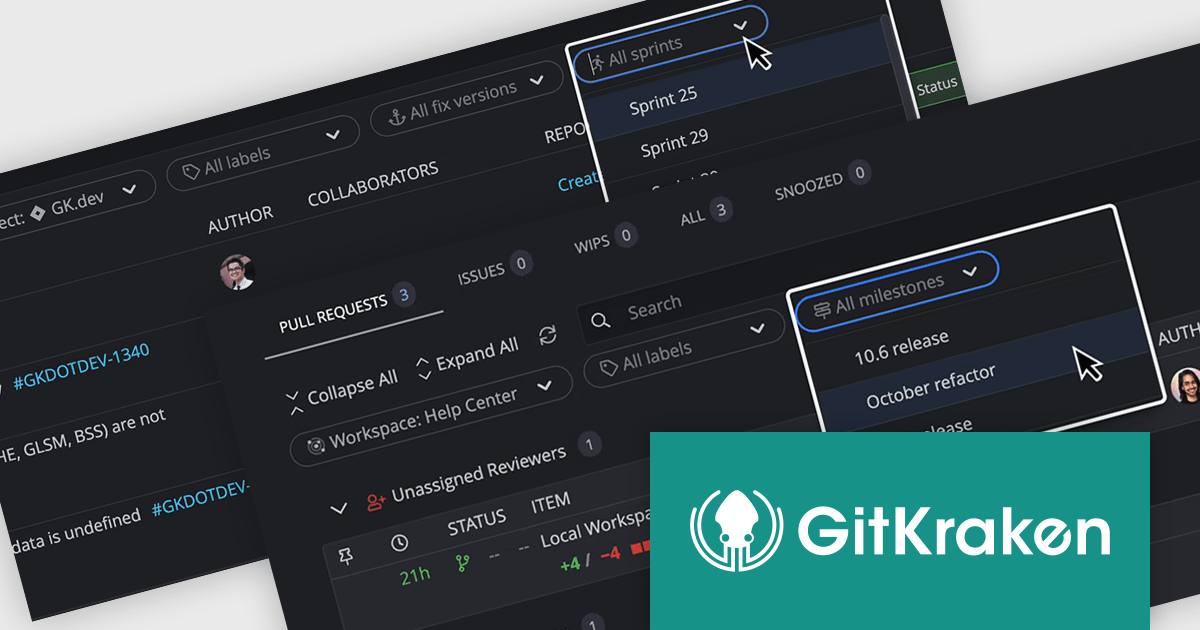
GitKraken is a suite of developer tools built around Git, a popular version control system. It offers a graphical user interface (GUI) that allows developers to interact with Git repositories visually instead of relying on command lines. This simplifies complex Git workflows like resolving merge conflicts and visualizing code history, making Git more accessible and efficient for developers of all experience levels.
The GitKraken Desktop V10.4.0 release adds new filtering options to Launchpad that let you see specific tasks for your upcoming projects. You can filter by Jira versions and sprints, as well as GitHub and GitLab milestones. By filtering tasks, users can concentrate on the most relevant work for their current goals.
To see a full list of what's new in 10.4.0, see our release notes.
GitKraken Desktop is licensed per user as an Annual license with free updates and technical support. See our GitKraken licensing page for full details.
Learn more on our GitKraken product page.
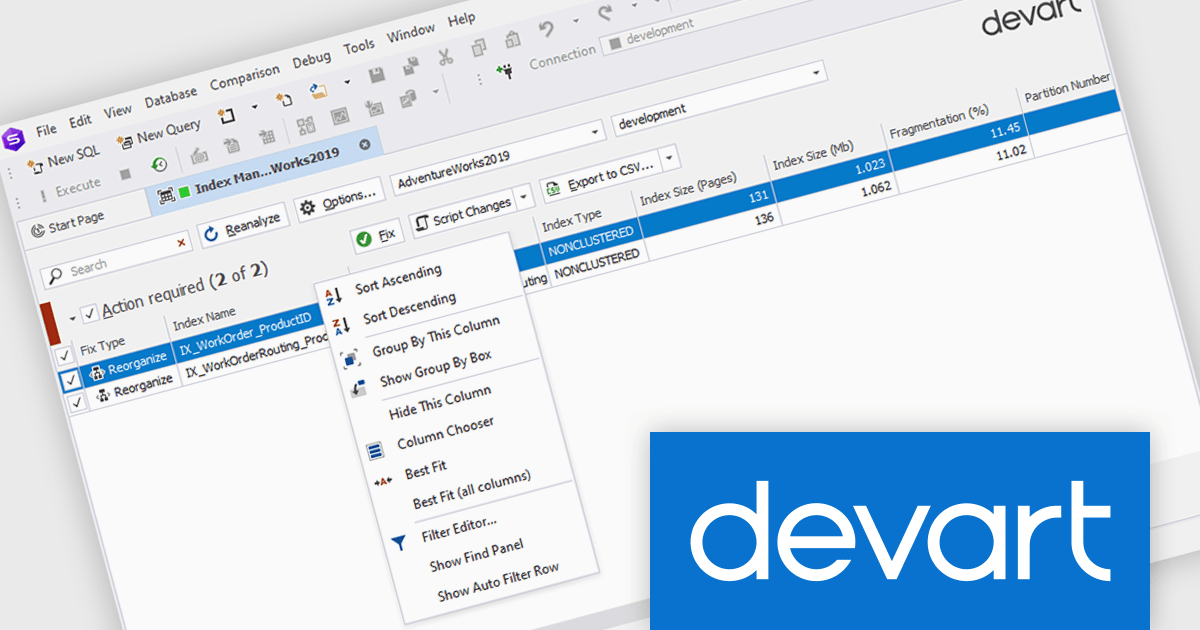
dbForge Index Manager is a SQL Server Management Studio add-in that streamlines index management tasks. It offers intelligent methods for identifying and fixing index fragmentation issues, providing features such as index analysis, sorting fragmentation troubles by severity, rebuilding and reorganizing indexes, generating SQL scripts, and exporting index analysis results as reports. This tool helps database administrators maintain optimal database performance by ensuring efficient index management.
The dbForge Index Manager V7.0.158 release adds a new standard shortcut menu, providing you with a way to quickly arrange, sort, group, and filter entries in the grid. By providing quick access to commands for arranging, sorting, grouping, and filtering entries, database administrators can easily organize their data according to specific criteria, enhancing productivity and streamlining the process of identifying and addressing index-related performance issues.
To see a full list of what's new in V7.0.158, see our release notes.
dbForge Index Manager is licensed per developer and is available as an Annual or Perpetual License with a 12 month support and maintenance subscription. See our dbForge Index Manager licensing page for full details.
dbForge Index Manager is available in the following products:
電話: (888) 850 9911
Fax: +1 770 250 6199


