













公式サプライヤー
公式および認定ディストリビューターとして200社以上の開発元から正規ライセンスを直接ご提供いたします。
当社のすべてのブランドをご覧ください。
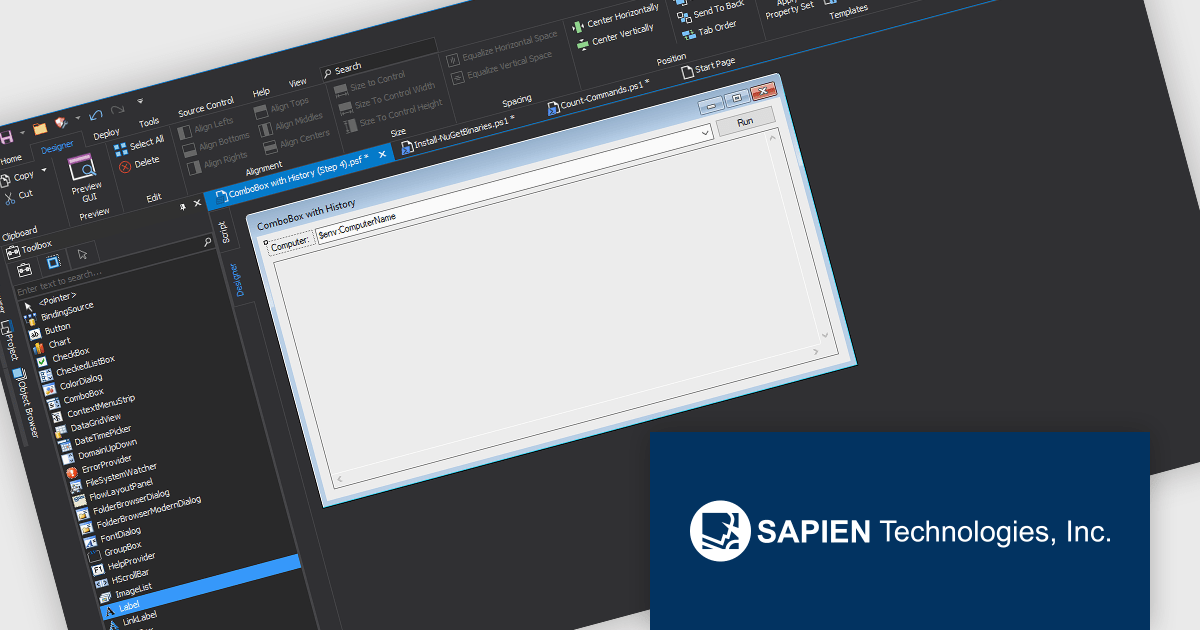
PowerShell Studio by SAPIEN Technologies is an Integrated Scripting Environment (ISE) designed specifically for PowerShell development. It offers a comprehensive editing experience with features like syntax coloring, code completion, and debugging. Beyond editing, PowerShell Studio allows you to visually design GUIs for your scripts, convert them into executables, and create modules and Windows services. This comprehensive toolset caters to developers who want to streamline PowerShell scripting and extend its functionality.
PowerShell Studio includes a GUI Designer within the Enhanced Form Designer, transforming how developers and designers build user interfaces. By offering a visual, drag-and-drop design experience combined with pre-wired controls, the GUI Designer eliminates the need for extensive manual coding, allowing even non-developers to craft professional-grade GUIs with ease. This tool accelerates project timelines, reduces coding errors, and ensures that interfaces are both functional and polished. Developers can now focus on core application logic, making GUI creation more efficient, customizable, and collaborative than ever before.
PowerShell Studio is licensed per user and includes 1 year of product maintenance which may be renewed each year thereafter to continue to receive the latest updates. See our PowerShell Studio licensing page for full details.
Learn more on our PowerShell Studio product page.
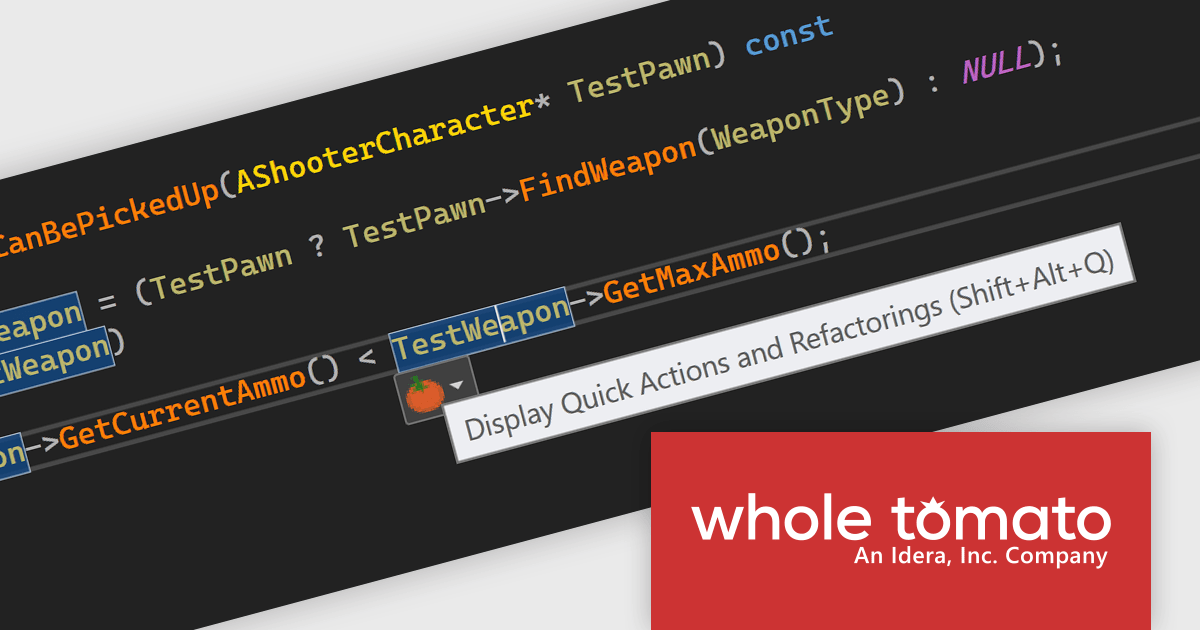
Visual Assist by Whole Tomato Software is a productivity plugin for Microsoft Visual Studio that enhances your workflow for C/C++ and C# development. It improves upon IntelliSense and syntax highlighting, streamlines code navigation and refactoring, and offers intelligent code completion and generation. Additionally, Visual Assist provides static code analysis to identify potential bugs and performance issues, all designed to save you time and effort while writing, reading, and maintaining your code.
The Visual Assist 2024.7 update improves reference management with the new "Improved Read and Write Reference Highlighting" feature. This latest version adds the ability to disable reference highlighting when it is not needed, giving developers a cleaner, more readable workplace. Read and write references will now immediately stop highlighting as soon as the cursor moves away, reducing visual clutter while still allowing you to quickly discover references when needed. This enhanced approach to reference highlighting seeks to streamline the coding process, helping developers to stay focused and productive in their workspace.
To see a full list of what's new in 2024.7, see our release notes.
Visual Assist is licensed on a per-developer basis and offers three licensing options: Standard, Network Named User, and Concurrent. All new licenses include a 1 Year Maintenance Subscription, and Subscription Renewals are also available. See our Visual Assist licensing page for full details.
Learn more on our Visual Assist product page.
PyCharm by JetBrains is a comprehensive Integrated Development Environment (IDE) specifically designed for Python programming. It offers a range of features to enhance productivity, including code analysis for error detection, a visual debugger for troubleshooting, integrated unit testing for code verification, and support for version control systems to manage code changes. PyCharm also caters to web development using frameworks like Django, making it a powerful tool for both experienced developers and beginners in the Python world.
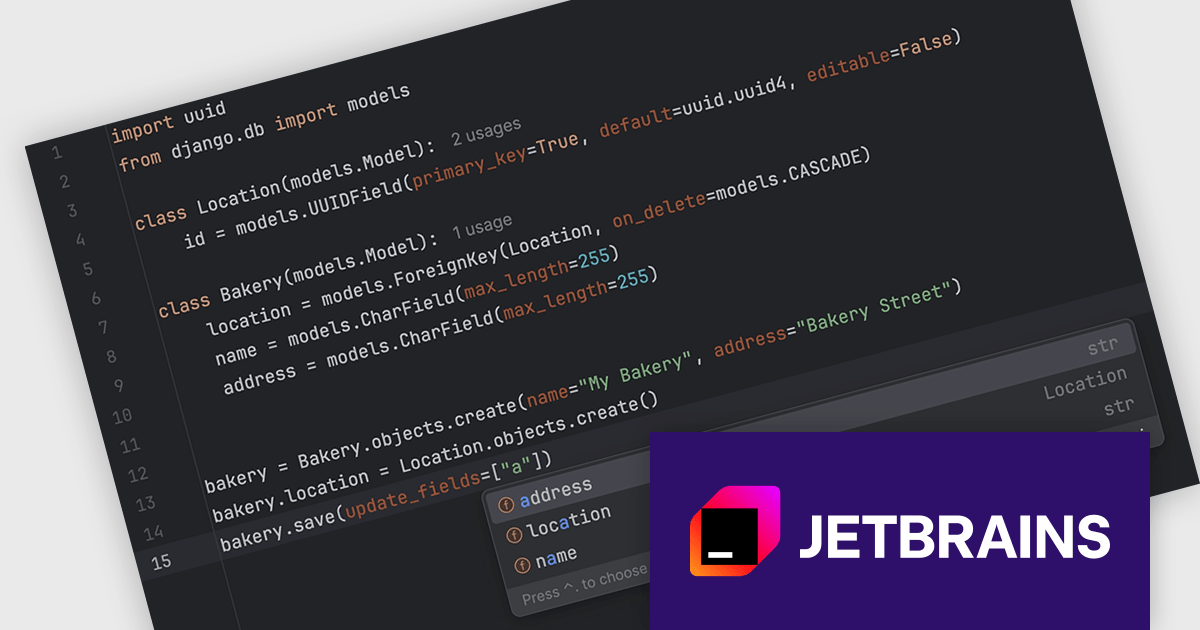
The PyCharm 2024.2.2 release improves the Django development experience with enhanced code completion for models. Now, when you're working with methods, PyCharm will intelligently suggest field names to populate the bracketed lists. This eliminates the need for manual typing and reduces errors, saving you time and ensuring accuracy. This enhancement makes PyCharm an even more powerful tool for building web applications with Django.
To see a full list of what's new in version 2024.2.2, see our release notes.
PyCharm is licensed per user, and is available as a commercial annual subscription license. We can supply new subscriptions, subscription renewals (including continuity discounts), lapsed renewals, and additional user licenses. See our PyCharm licensing page for full details.
PyCharm is available to buy in the following products:

ComponentSource and Edraw have enjoyed a decade long partnership focused on delivering high-quality software solutions to the global developer community. This long-standing cooperation demonstrates a shared commitment to providing developers with tools that simplify and elevate the software development process.
Edraw is a leading provider of diagramming software, establishing itself as a go-to solution for creating visual representations of data, processes, and systems. With a vast array of templates and tools, Edraw enables users to create flowcharts, mind maps, network diagrams, and more with ease. Their intuitive interface and robust feature set have made them a favorite among professionals in education, IT, business, and engineering, offering powerful ways to visualize complex information in a clear and effective manner.
ComponentSource, a leading distributor of software components and development tools, has played a crucial role in expanding the reach of Edraw’s products. Through this partnership, ComponentSource has helped make products such as EdrawMind and EdrawMax accessible to a broader audience of developers.
The cooperation between ComponentSource and Edraw has had a long-term, beneficial influence on the developer community, making complex graphic diagramming software and office components more accessible and easier to implement. As we celebrate this 10-year anniversary, we look forward to continuing the relationship by providing developers worldwide with dependable, creative software solution to improve their applications.
Learn more about Edraw.
dbForge Source Control for SQL Server is a comprehensive tool designed to streamline the management and collaboration of SQL Server database development projects. It seamlessly integrates with popular source control systems like Git, SVN, and TFS, facilitating version control, branching, merging, and conflict resolution. By providing a unified interface for database and source code management, dbForge Source Control enhances team productivity, improves code quality, and ensures a robust database development process.
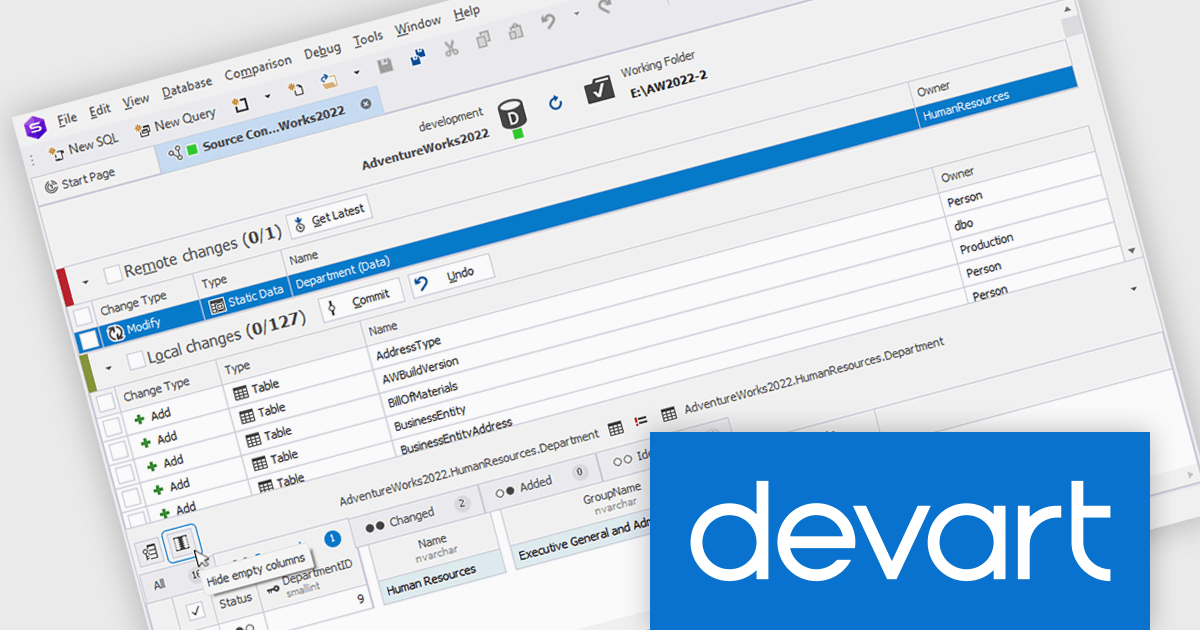
The dbForge Source Control for SQL Server V7.0.158 release adds a new "hide empty columns" button in the static data diff grid. By filtering out columns containing only null or empty values, the grid becomes more focused and easier to read, improving data analysis efficiency. This feature is particularly useful when dealing with large datasets containing numerous irrelevant columns, as it allows users to concentrate on the data that is most meaningful.
To see a full list of what's new in V7.0.158, see our release notes.
dbForge Source Control for SQL Server is licensed per developer and is available as an Annual or Perpetual License with a 12 month support and maintenance subscription. See our dbForge Source Control for SQL Server licensing page for full details.
dbForge Source Control for SQL Server is available in the following products:
電話: (888) 850 9911
Fax: +1 770 250 6199


