













公式サプライヤー
公式および認定ディストリビューターとして200社以上の開発元から正規ライセンスを直接ご提供いたします。
当社のすべてのブランドをご覧ください。

1995年のリリース以来、Delphiは高性能なアプリケーション開発を支えるツールとして進化を続けてきました。2026年2月、Delphiは31周年を迎えます。これを記念し、Delphi、C++Builder、RAD Studioの各製品を特別価格でご提供する「Delphi 31周年記念キャンペーン」 を実施いたします。本キャンペーンでは、最新バージョン13 Florenceの RAD Studio / Delphi / C++Builder Athens の Professional / Enterprise / Architect 各エディションを、期間限定の特別価格でご購入いただけます。
なお、開発元のエンバカデロ・テクノロジーズ社では、開発ツール製品に関して、2026年4月1日より販売価格改定を実施れる予定です。本キャンペーンの満了日は3月16日までを予定しておりましたが、3月10日付けのメーカー発表にて、新価格が適用される2026年4月1日直前の3月31日まで延長することとなりました。ぜひこの機会に本キャンペーンをご活用ください。
各製品別のキャンペーン詳細およびご購入は、以下のリンクからご確認いただけます。
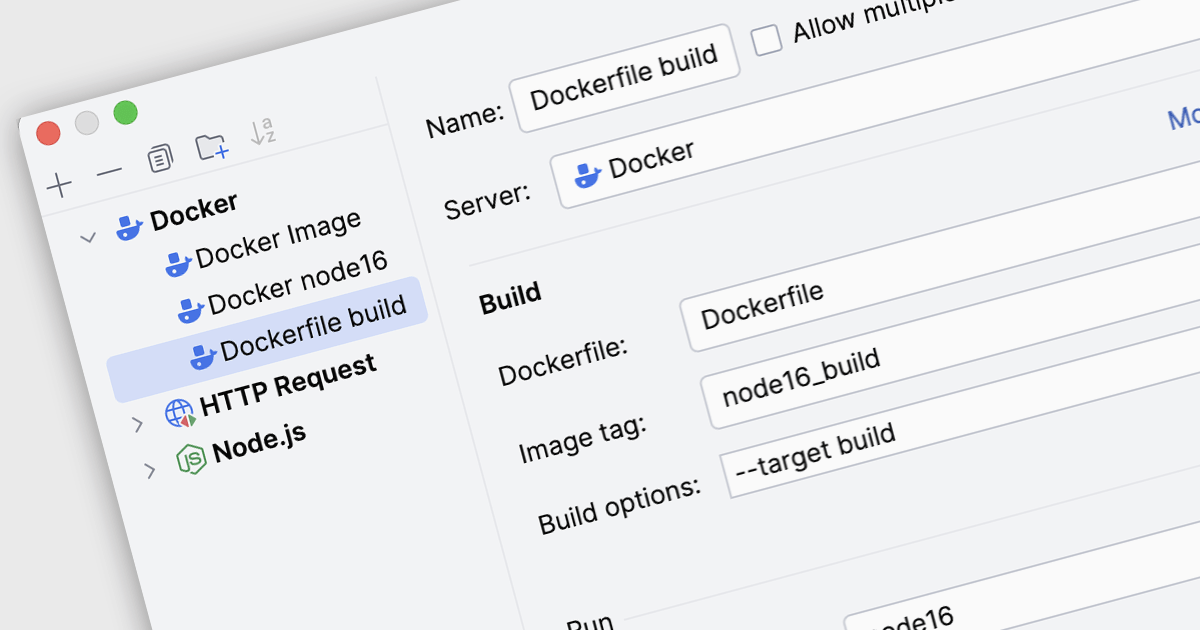
Docker deployment in Integrated Development Environments (IDEs) refers to the capability to build, configure, and run applications inside Docker containers directly from the development workspace. Through built-in Docker integration, developers can package an application together with its required libraries, runtime, and operating system dependencies into a container image, then deploy and execute that container on local or remote Docker hosts. This approach allows developers to test and run applications in consistent, reproducible environments that mirror production systems, reducing configuration differences between development, testing, and deployment stages while simplifying container management tasks such as building images, running containers, and updating services.
Several IDEs offer support for Docker deployment including:
For an in-depth analysis of features and price, visit our comparison of Integrated Development Environments (IDEs).

Integrated Development Environments (IDEs) are comprehensive software applications that provide developers with a unified workspace for writing, editing, compiling, debugging, and managing source code across one or more programming languages. In addition to core coding features such as syntax highlighting, intelligent code completion, and version control integration, most modern IDEs include built-in testing functionality that supports popular testing frameworks for unit, integration, and sometimes end-to-end testing. These environments typically allow developers to create and organize test projects, run tests directly from the editor, view structured test results, and quickly navigate from failed tests to the relevant source code. Many IDEs also offer advanced capabilities such as code coverage analysis, test discovery, continuous test execution, and debugging tools that work seamlessly within test cases, helping development teams maintain code quality and detect issues early in the development lifecycle.
Common testing features include:
For an in-depth analysis of features and price, visit our IDEs comparison.
JetBrains AI Assistant - AI Pro is a plugin for JetBrains IDEs that uses large language models to enhance your coding experience. It can answer your questions about code, suggest completions and refactorings, and even help you write documentation and commit messages. It analyzes the context of your project to provide the most relevant suggestions, and you can chat with it directly within the IDE. JetBrains AI Assistant is a powerful tool for programmers looking to boost their productivity.
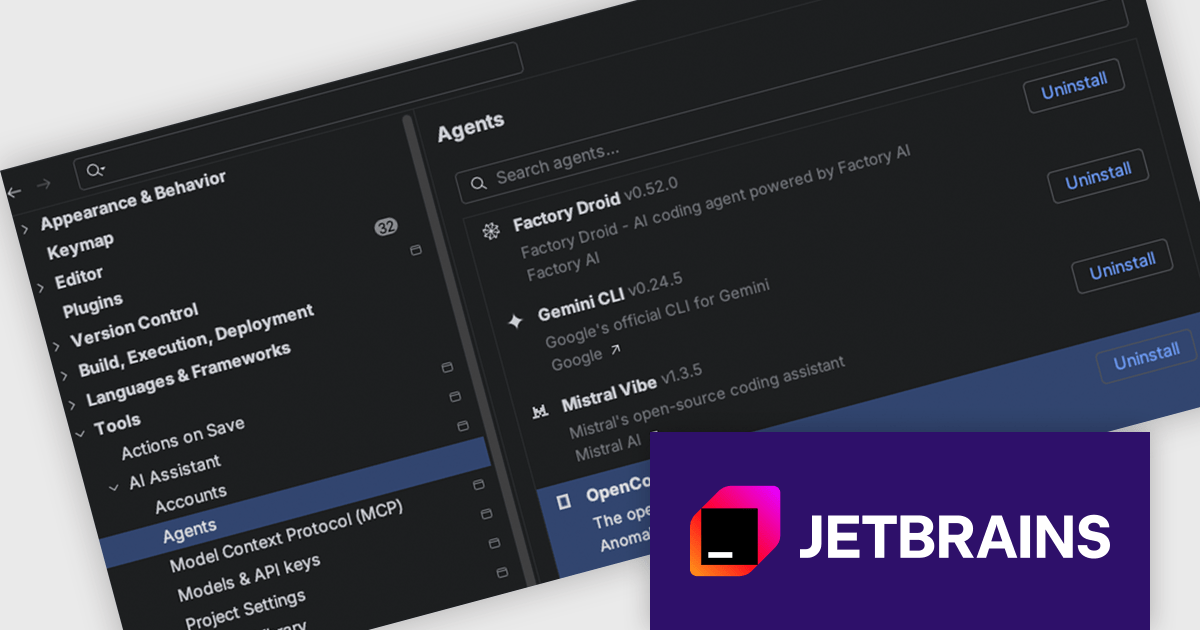
Agent Client Protocol (ACP) Agent Registry is now available in JetBrains IDEs, making it simple to browse a curated list of ACP-compatible coding agents and install them with a single click. There is no manual configuration required, so developers can quickly try different agents for different tasks and move between them as needed, all within the same chat interface. The registry also removes barriers to entry making experimentation and adoption more accessible across teams.
JetBrains AI Assistant is licensed per user as a commercial annual subscription. To use it, you must have a compatible JetBrains IDE. We can supply new subscriptions, subscription renewals, lapsed subscription renewals, and additional developer licenses. See our JetBrains AI Assistant licensing page for full details.
For more information, visit our JetBrains AI Assistant product page.
RubyMine by JetBrains is a Integrated Development Environment (IDE) specifically designed for Ruby and Ruby on Rails development. It offers a comprehensive suite of features to improve your coding efficiency, including smart code completion, syntax highlighting, code refactoring tools, built-in debugging and testing frameworks, and integration with popular libraries and databases. Whether you're a seasoned Rails developer or just starting out, RubyMine's intuitive interface and robust features can help you write cleaner, more maintainable code and accelerate your development.
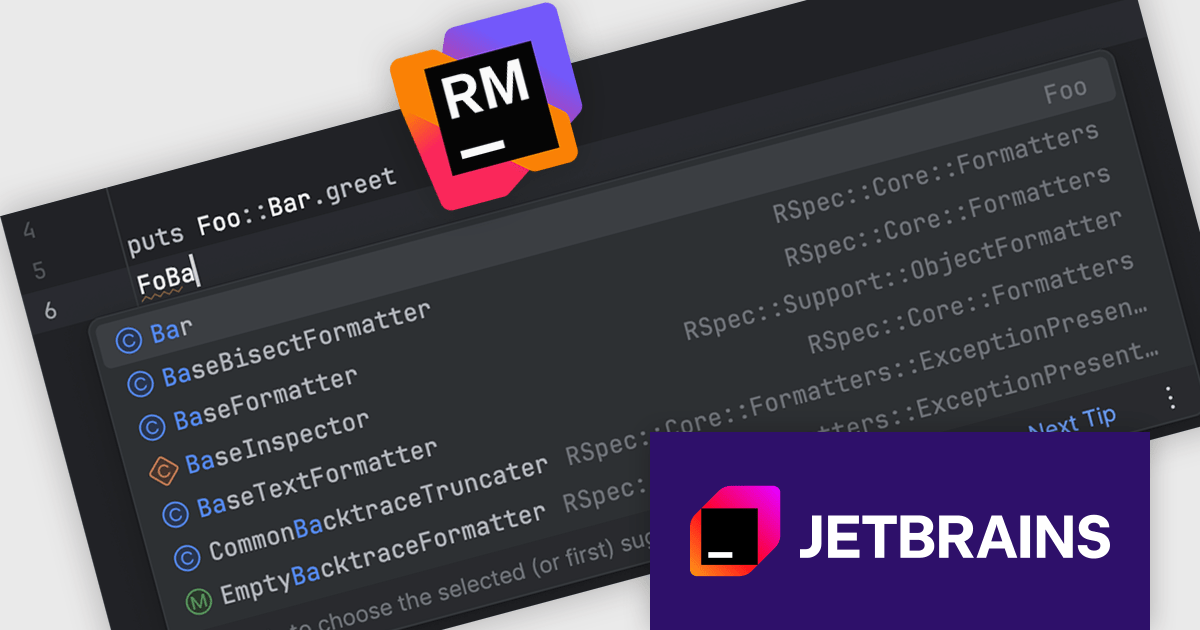
The RubyMine 2025.3 release enhances code completion for qualified constants by introducing fuzzy search across namespaces. This lets developers type partial names, such as "FoBa", and receive accurate suggestions like "Foo::Bar", even when dealing with deeply nested structures. The update helps speed up navigation and code writing in projects with large or hierarchically organized modules, making it easier to locate and use the right constants with minimal input.
To see a full list of what's new in version 2025.3, see our release notes.
RubyMine is licensed per user, and is available as a commercial annual subscription license. We can supply new subscriptions, subscription renewals, lapsed renewals, and additional user licenses. See our RubyMine licensing page for full details.
RubyMine is available to buy in the following products:
電話: (888) 850 9911
Fax: +1 770 250 6199


