













公式サプライヤー
公式および認定ディストリビューターとして200社以上の開発元から正規ライセンスを直接ご提供いたします。
当社のすべてのブランドをご覧ください。
Aspose.Font for JavaScript via C++ is a new solution that empowers developers to seamlessly integrate advanced font manipulation capabilities into their web applications. This bridges the gap between C++, a powerful compiled language, and JavaScript, the language of web browsers. Aspose.Font for JavaScript via C++ empowers developers to create web applications that handle fonts directly, streamlining development by eliminating server dependencies.
This library unlocks a multitude of benefits for web development projects. Developers can leverage Aspose.Font for JavaScript via C++ to load and save a wide range of font formats, including TrueType, OpenType, and WOFF. They can also extract critical font metadata, convert fonts between formats, and even render text using specific glyphs. These functionalities empower the creation of dynamic and interactive web experiences that deliver exceptional user interfaces with precise font control.
Aspose.Font for JavaScript via C++ is offered as Developer Small Business, Developer OEM, Developer SDK, Site Small Business, Site OEM, and Site SDK licenses catering to a range of business needs. Licenses are perpetual, and include 1 year of support and maintenance. Subscription renewals are also available. See our Aspose.Font for JavaScript via C++ licensing page for full details.
Aspose.Font for JavaScript via C++ is available in the following products:

Devart Python Connectors are a collection of tools that bridge the gap between Python and various databases and cloud services, allowing you to interact with them directly from your Python code. They adhere to the Python Database API Specification v2.0, ensuring a consistent and familiar experience across different data sources. These connectors enable you to establish direct connections to databases via TCP/IP, eliminating the need for external client libraries, and to access cloud services securely through HTTPS.
Devart expands its Python Connector product range with seamless connectivity to Microsoft Access and MongoDB databases, and the Snowflake cloud service. Now you can effortlessly integrate these valuable data sources into any Pyhton compliant application, streamlining data access and analysis for maximized efficiency.
The Python Connectors are licensed per developer and are available as a Perpetual License with a 12 month support and maintenance subscription. See our Python Connector licensing pages for Microsoft Access, MongoDB, and Snowflake.
For more information about the Python Connectors visit our product pages:

ComponentSource, the world's largest reseller of software components, is proud to announce the 15th anniversary of its partnership with Fast Reports, a leading provider of specialist .NET and VCL reporting components.
Established in 1998, Fast Reports is a software development company that specializes in creating advanced reporting solutions including its flagship product, FastReport. This comprehensive report generator offers robust functionalities for various platforms including .NET, VCL, and FMX, allowing businesses to create, edit, and deliver reports with ease. FastReport caters to a wide range of needs, from simple report generation to complex data analysis, enhancing business intelligence, improving data visualization, and streamlining reporting processes for organizations worldwide.
ComponentSource's global network has been helping Fast Reports reach a wider audience since 2009, making its products available to organizations in various industries and locations. The partnership has played a crucial role in promoting the adoption of software components, helping organizations realize the benefits of faster development, reduced costs, and improved quality. This long standing relationship has consistently delivered innovative reporting solutions that meet the needs of developers and businesses around the world.
Explore the Fast Reports product range

Smart HTML Elements is an enterprise-grade UI library offering pre-built web components for developers in Angular, React, Vue, Blazor, and JavaScript. It boasts over 60 ready-to-use components like grids, charts, schedulers, and editors, all featuring two-way data binding, responsiveness, accessibility, and theming capabilities. This library helps developers rapidly build dynamic and modern web applications with consistent look-and-feel and rich functionalities, accelerating development time and ensuring professional quality.
The Smart HTML Elements 19.1.0 release adds support for Angular 18, allowing developers to leverage the latest features and functionalities of Angular within their Smart HTML Elements components. Angular 18 introduces improvements in performance by tree-shaking unused code and better lazy loading, plus new features like standalone components and Angular templates in TypeScript.
To see a full list of what's new in 19.1.0, see our release notes.
Smart HTML Elements is licensed per developer and is available as a Perpetual license with 1 year support and maintenance. It includes distribution to Unlimited Web applications, SaaS projects, Intranets and Websites. See our Smart HTML Elements licensing page for full details.
Learn more on our Smart HTML Elements product page.
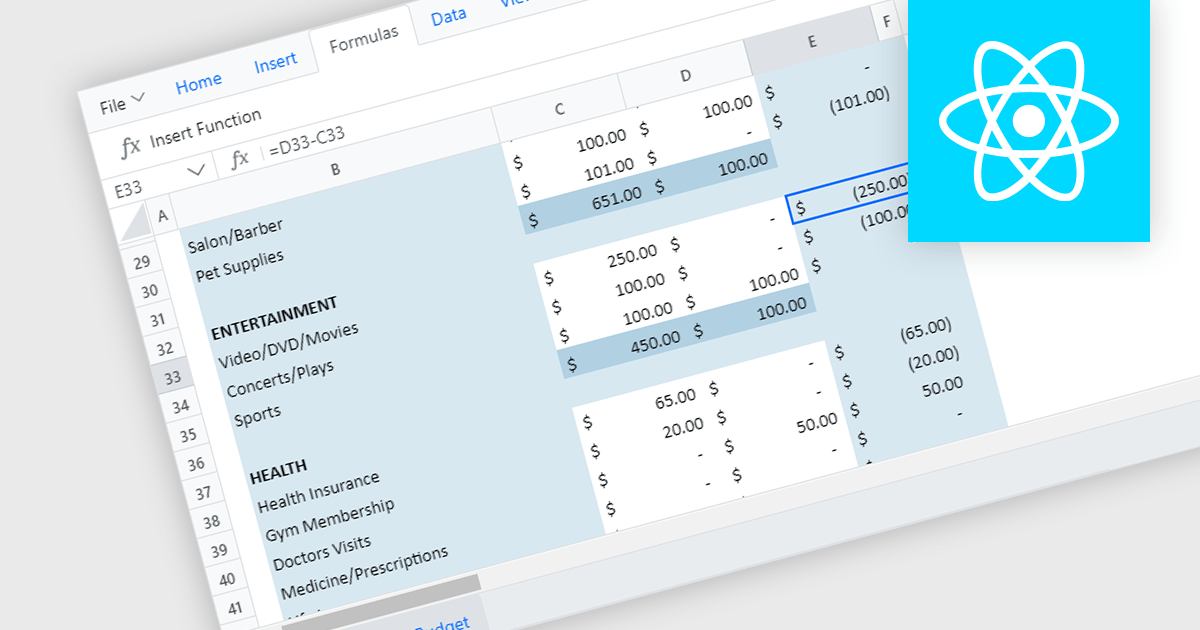
React spreadsheet controls with formula and function capabilities bring the power of spreadsheets to modern web applications. These components allow users to enter data, manipulate it using built-in formulas (like SUM or AVERAGE) or custom functions, and see the results dynamically update within the web interface. This empowers developers to create interactive data analysis tools, financial calculators, or even planning dashboards directly within their React applications.
Several React spreadsheet controls offer formula and function support including:
For an in-depth analysis of features and price, visit our React spreadsheet controls comparison.
電話: (888) 850 9911
Fax: +1 770 250 6199


