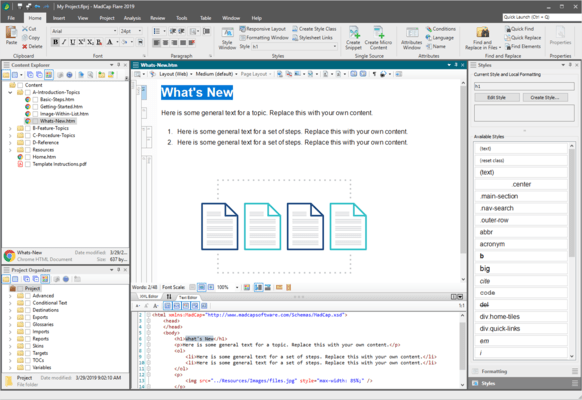
MadCap Flare のリリース
Released: Oct 17, 2017
2017 r3 での更新項目
機能
- New Style Inspector to view and edit your CSS properties - A new Style Inspector in the Formatting window pane lets you view and edit the style details for your content (topics, snippets, etc.) in real time, rather than having to edit styles in the stylesheet.
- UI Enhancements for the Stylesheet Editor, Previews and More - Several new enhancements have been incorporated into the user interface related to styles.
- Multi-select Properties with Cut, Copy, Paste and Delete.
- Rename All Instances of...
Released: May 8, 2017
2017 r2 での更新項目
機能
- Salesforce Integration - The new plugin allows you to publish content directly to Salesforce using Salesforce Connect and Flare’s Clean XHTML output.
- Google Search Integration for Custom Search Engine (CSE) - Use Google Search for your HTML5 Top Navigation and skinless outputs, using Custom Search Engine.
- Faster Compile Times - Significant improvements to the compiler add a 35% boost in average compile times.
- Top Navigation and User Experience Enhancements - A series of improvements add more...
Released: Jan 10, 2017
2017 での更新項目
機能
- All-new clean XHTML output.
- Pin your variables for quick and easy access.
- Live dynamic preview window for your output including print, HTML5 and more.
- Associate conditions and file tags to new files.
- Microsoft Word equations converted to MathML on import.
- Synchronization of topic title and TOC entries.
Released: Oct 25, 2016
2016 r2 での更新項目
機能
- MadCap Central Integration - MadCap Central is a cloud-based platform that lets you plan, track, and manage the processes, content, and teams that are at the heart of your organization. You can store copies of your Flare projects in MadCap Central, continue to work on them locally in Flare, and keep both sets of copies in sync.
- Image Pinning - You can now pin your favorite images, making them easily and quickly accessible for future use.
- Internal text Editor - Manage Font Size - Three new...
Released: Mar 15, 2016
Updates in this release
Updates in 12
- New Responsive Layout Editor - Creating responsive HTML5 Top Navigation web output is now completely under the control of the content author - the responsive layout editor is easy to use and requires no coding.
- Multilingual Project Support - The all-new multilingual publishing feature allows for multiple languages to be published in a single output for both print and online content.
- Preserved Tracked Changes - You can now preserve tracked changes in Microsoft Word and PDF outputs...
Released: Mar 18, 2015
Updates in this release
Updates in 11
- Create modern, frameless HTML5 responsive Web output that is sleek and easy to navigate.
- Added absolute positioning and text wrapping for print and Web.
- Add augmented reality (AR) content to your documentation such as a 3D object or link to the Web. A picture or 3D object can trigger interactive and engaging content using a smartphone or tablet.
- Easily merge multiple PDF files into a single document.
- Generate one or more build targets in the background while you work. A Build...
Released: Mar 12, 2014
Updates in this release
Updates in 10
- HTML5 Output - New HTML5 output eliminates the need for multiple device publishing targets.
- Built-in Project Templates - With 20 project templates, you can publish professionally designed brochures and books, online help systems and ebooks without the need for additional graphic design resources.
- Real-time Visual HTML5 Skin Editor - Easily create beautiful output using a new, live preview, design editor.
- New Slideshow Display - Add a slideshow effect to display any type of content...
Released: Dec 5, 2013
Updates in this release
Updates in V9.1.2
- Support for Chrome 30.x for viewing WebHelp and HTML5 locally.
- FrameMaker import now preserves linked image names.
- Support for Windows 8.1 and Internet Explorer 11 for viewing WebHelp and HTML5 locally.
Released: May 23, 2013
Updates in this release
Updates in V9.1
- Controlled Language/Simplified Technical English Support - Through the integration of the API and HyperSTE, authors can use a standardized vocabulary and style to improve consistency, eliminate ambiguity and reduce complexity. Furthermore, authors can ensure compliance with corporate terminology and style guide rules using advanced interactive checker and quality measurement features.
- New HTML5 Skins Now Available - Added new skins you can use out-of-the-box for HTML5 output.