Data Masker for SQL Server のリリース
Released: Oct 12, 2020
v7.1.3 での更新項目
不具合の修正
- Fixed a bug where attempting to delete a rule would cause a crash in the UI.
Released: Sep 29, 2020
v7.1.2 での更新項目
不具合の修正
- Fixed a bug that caused an Application Error when applying an auto filter (right-click a column header, select Show Auto Filter).
Released: Sep 17, 2020
v7.1.1 での更新項目
不具合の修正
- Addressed deadlock issues around statistics reporting, experienced by some customers.
Released: Aug 28, 2020
v7.1.0 での更新項目
機能
- New importer to build default rules and sensitivities from SQL Data Catalog.
- Added a new command-line option to list the available column templates.
- Added datasets for full US addresses, gender and photos.
- Improved the layout of the Misc. Setup tab.
- Changes to the log file format.
Released: Jan 7, 2020
7.0.x での更新項目
v7.0.23
Updated Aug 10, 2020
Fixes
- Fixed bug in Select Distinct Values query when column names contain spaces.
- Fixed a bug in applying the "PostalCode" column template.
v7.0.22
Updated Jul 23, 2020
Features
- New command line option: DataMaskerCmdLine.exe column-template build-mapping-file
- Integrates with your SQL Data Catalog Taxonomy.
- Produces a column-template mapping file that you can pass into the build command.
- It is now possible to fully automate masking a database, based on the hard work...
Released: Jul 4, 2019
6.3.x での更新項目
6.3.23
Updated Dec 20, 2019
Fixes
- Increase the scale and precision of numbers supported by floating point data sets.
6.3.22
Updated Dec 19, 2019
Fixes
- Fixed an issue running masking sets that affect a large number of rows or columns.
- Keep trailing semicolons when running cross database commands.
6.3.21
Updated Dec 18, 2019
Features
- Added a "Check for Updates" option to the "Help" menu to manually check for new updates.
- Use fast single pass mode is now on by default for new table to table rules...
Released: Jun 26, 2019
6.2.7 での更新項目
Updates in 6.2.7
- The rhino progress bar and option are removed.
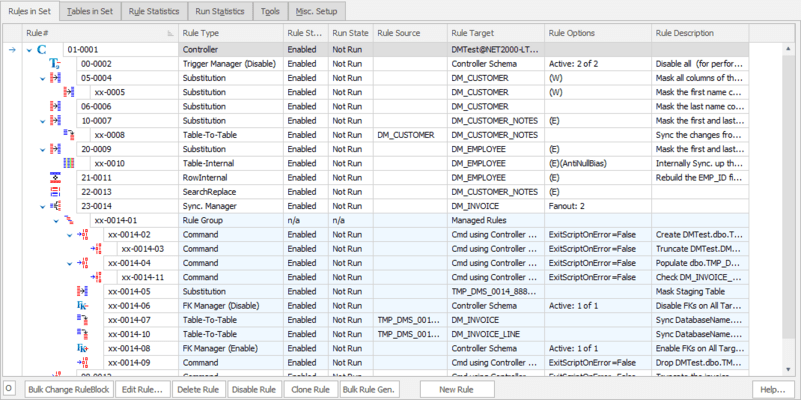
- Make the 'New Rule' button more prominent on the 'Rules in Set' tab.
- Removed the SQL Server version selector. This change has no affect on how masking sets run on supported version of SQL Server (2005 or later).
- Fixed an issue where the masking set would not correctly clear the first time clear masking set was run.
- Fixed a race condition that could occur when running from the command line.
Released: Jun 3, 2019
6.2.6 での更新項目
Updates in 6.2.6
- The new masking set and controller workflow is now turned on by default.
- Fixed an issue causing the GUI command line to silently fail when started with certain arguments. This did not affect the headless command line.
Released: May 9, 2019
v6.2.4 での更新項目
機能
- Makes conversion from range splitter to simple substitution rule easy.
- Improves the handling of nullable columns and values in the substitution rule.
不具合の修正
- Fixes a bug when using TableToText rules from the command line.
Released: Apr 30, 2019
6.2.3 での更新項目
Updates in 6.2.3
- Fixed a bug where multiple threads could conflict on writing a log message and cause rule processing to terminate.
- Fixed a bug which caused 'SQL Server 2005' database version in edit controller form cannot be loaded and displayed.
- The JSON masker rule now masks non-string values within arrays.
- The JSON masker rule no longer masks values of null or undefined.