













公式サプライヤー
公式および認定ディストリビューターとして200社以上の開発元から正規ライセンスを直接ご提供いたします。
当社のすべてのブランドをご覧ください。

Right to left (RTL) support in reporting components enables reports to correctly display languages such as Arabic and Hebrew, where text flow, alignment, and layout follow a right-to-left reading order. This capability typically affects text rendering, page layout, table alignment, and user interface elements, helping reports remain readable and culturally appropriate without requiring separate report designs.
Several Blazor reporting controls offer right-to-left (RTL) support including:
For an in-depth analysis of features and price, visit our Blazor reporting controls comparison.

Trend lines in charts are analytical tools that represent the general direction or tendency of data over time, helping users interpret patterns that may not be immediately visible in raw data. By smoothing out short-term fluctuations, trend lines clarify long-term behavior, highlight growth or decline, and support more informed decision-making. They are commonly used in business dashboards to track performance metrics, in financial analysis to assess market trends, and in operational reporting to identify recurring patterns, forecast outcomes, and compare multiple data series with greater clarity.
Several Blazor chart components provide trend line support including:
For an in-depth analysis of features and price, visit our Blazor Chart Component comparison.
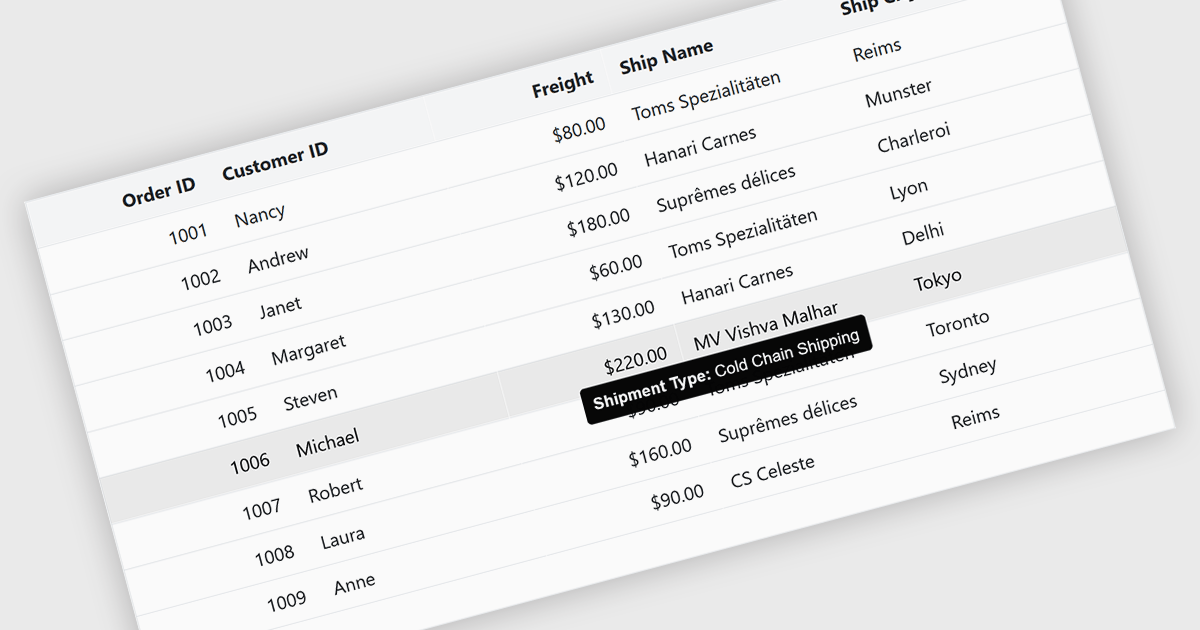
Tooltips in grid components provide contextual information that appears when users hover over or focus on a cell, column header, or row. It offers a practical way to surface additional details such as full text for truncated values, validation messages, or explanatory metadata without overcrowding the grid layout. For data-heavy interfaces, this feature improves readability and usability by keeping the primary view concise while still making secondary information readily accessible when needed.
Several Blazor grid controls offer FEATURE including:
For an in-depth analysis of features and price, visit our Blazor grid controls comparison.
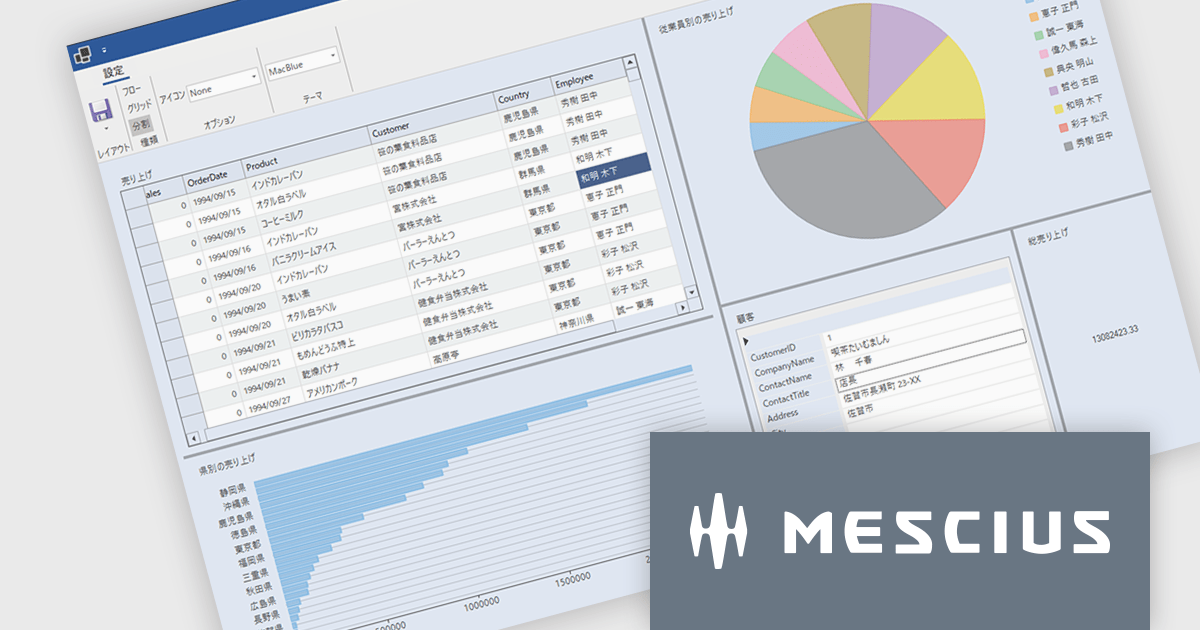
ComponentOneはデスクトップ、Web、モバイルに対応した.NETアプリケーションの開発を可能にします。小規模な社内システムから大規模エンタープライズシステムまで、業務システムのあらゆるニーズに柔軟に対応し開発生産性を大幅に向上させます。
最新バージョンComponentOne 2025J v2では、6つの主要エディション(WinForms/WPF/WinUI/ASP.NET Core/Blazor/.NET MAUI)全てで.NET 10対応コンポーネントを提供しています。これにより.NET 10のパフォーマンス向上メリットを活かしたアプリケーション開発が可能となります。また、統合開発環境の最新バージョンであるVisual Studio 2026にも正式に対応し、プロジェクトテンプレートやツールボックスの利用をスムーズに行えるようになりました。この対応により、.NETアプリケーション開発者は最新の技術基盤を活用しながら、堅牢で高速な業務アプリケーションを構築できます。ComponentOneはデスクトップ、Web、モバイル向けの豊富なUIコンポーネントを揃えており、それぞれのプラットフォームで統一された開発体験を提供します。
2025J v2での新機能一覧は、リリースノートを参考ください。
ComponentOneのライセンスは、開発者ごとに付与されるユーザーライセンスで、対象開発者は最大3台のマシンにインストール可能でで、ランタイムライセンスフリーです。なお、サブスクリプション契約期間中の無償バージョンアップや日本語によるE-mail技術サポートを無制限に受けることができます。詳細は、ComponentOneのライセンスページ をご参考ください。
ComponentOneの各エディション製品詳細及び販売情報は、以下のページをご参考ください。
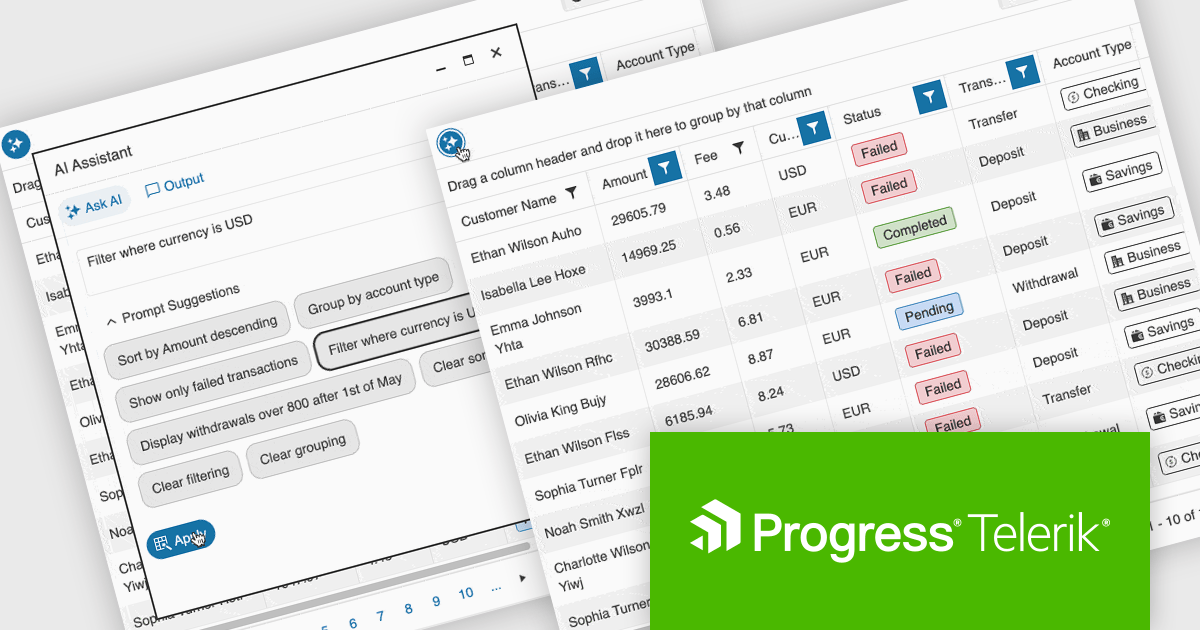
Telerik UI for ASP.NET Core, MVC, and Blazor are component libraries for building modern web apps with .NET. Each provides a rich set of customizable UI elements, like grids, charts, and forms, tailored to its respective framework, helping developers create responsive, interactive, and accessible user interfaces.
The latest update to the Telerik UI DataGrid introduces AI-driven controls that respond to natural-language prompts, making it easier for users to work with complex datasets. Users can now reorder, resize, and toggle column visibility just by describing what they want. Pagination, row selection, and data export to Excel, PDF, or CSV formats can also be handled through conversational input, reducing clicks and improving accessibility for both technical and non-technical users.
Telerik UI for ASP.NET Core, UI for MVC, and UI for Blazor are all licensed per developer and have two licensing models: an annual Subscription License and a Perpetual License. The Subscription License must be renewed to continue using the software. The Perpetual license is a one-time purchase granting access to the current released version and includes a one-year subscription for product updates and technical support. See our Telerik UI for ASP.NET Core, Telerik UI for ASP.NET MVC or Telerik UI for Blazor licensing pages for full details.
Telerik UI for ASP.NET Core, Telerik UI for ASP.NET MVC and Telerik UI for Blazor are available to buy individually or as part of the following products:
電話: (888) 850 9911
Fax: +1 770 250 6199


