













公式サプライヤー
公式および認定ディストリビューターとして200社以上の開発元から正規ライセンスを直接ご提供いたします。
当社のすべてのブランドをご覧ください。

To better align with the evolving landscape of reporting technologies, Fast Reports will cease updates and support for FastReport.Web (.NET Framework) on December 1st. While this library has been invaluable for numerous Online Designer projects, FastReports' future efforts will concentrate on more modern technologies. From this date, the FastReport.Web (Legacy) library will no longer receive bug fixes or technical support.
Fast Reports currently supports four web reporting solutions:
You can still create an Online Designer for FastReport.Web (Legacy), but Fast Reports recommends migrating to the new backend for an improved user experience.
FastReport .NET includes both backends, so no further purchase is necessary. To migrate to FastReport.Web for Core/Blazor, you will need to build an Online Designer with the updated FastReport.Web or FastReport.Web.Skia backend.
FastReport .NET is licensed per named user with options for Single, Team or Site Licenses. See our FastReport .NET licensing page for full details.
For more information, visit our FastReport .NET product page.
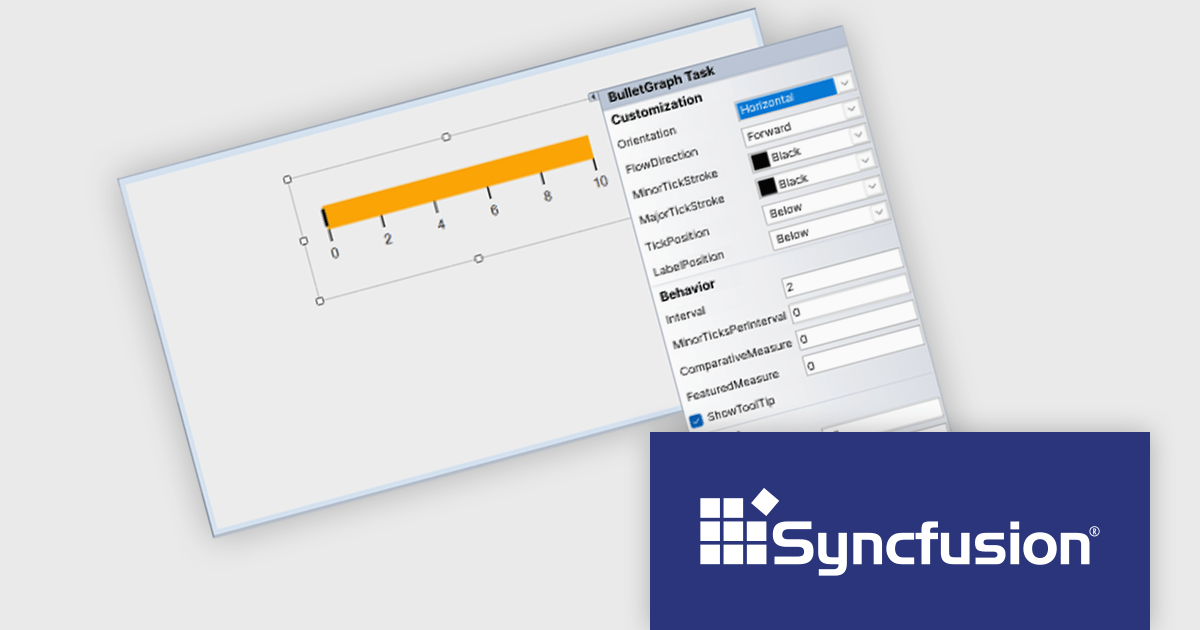
Syncfusion Essential Studio Windows Forms is a powerful UI component suite designed to enhance your WinForms development. It boasts over 100 high-performance controls, ranging from essential grids and charts to advanced schedulers and diagrams, enabling you to craft visually appealing and feature-rich applications with ease. Its extensive customization options and built-in themes allow for tailored user experiences, while touch-friendly design ensures seamless interaction across devices.
The Syncfusion Essential Studio Windows Forms 2024 Volume 3 release adds smart tag support to the BulletGraph control. Smart tags provide quick access to common properties and settings directly within the design view, eliminating the need for manual property adjustments. This approach accelerates development time and reduces the risk of errors, empowering developers to create visually compelling and informative BulletGraphs with greater efficiency.
To see a full list of what's new in 2024 Volume 3, see our release notes.
Syncfusion Essential Studio Windows Forms is available as part of Syncfusion Essential Studio Enterprise which is licensed per developer starting with a Team License of up to five developers. It is available as a 12 Month Timed Subscription License which includes support and maintenance. See our Syncfusion Essential Studio Enterprise licensing page for full details.
Learn more on our Syncfusion Essential Studio Windows Forms product page.

A time picker (time editor) component allows users to select a specific time from a predefined range. It often presents a visual representation of time, such as a clock face or a digital display, and provides intuitive controls for adjusting hours, minutes, and sometimes seconds. This component simplifies time input and selection processes, enhancing user experience and reducing potential errors in applications that require precise time specification, such as scheduling tools, appointment booking systems, and time-based data entry forms.
Several WPF data editor collections feature a time editor, including:
For an in-depth analysis of features and price, visit our WPF data editors comparison.

ONLYOFFICE Docs is a comprehensive online editor, allowing users to create text documents, spreadsheets, presentations, and forms. It enables your users to edit, share, and collaborate on documents online in their preferred browser, within your own application. It is fully compatible with OOXML (Office Open XML) formats and supports popular Microsoft Office and other document formats such as CSV, DOC, DOCX, EPUB, HTML, ODP, ODS, ODT, PDF, PPT, PPTX, RTF, TXT, XLS, and XLSX.
The ONLYOFFICE Docs v8.2 update adds support for performing iterative calculations. This enables formulas to be repeatedly recalculated until a specific, stable result is reached or a set number of attempts is made. By setting iteration limits and defining acceptable precision levels, iterative calculations enable users to control the number of recalculations, allowing the formula to reach an approximation or convergence point that serves as the final value. This process is particularly useful when dealing with circular references, where a formula refers to its own cell either directly or through a sequence of references involving other cells. Without iterative calculations, such formulas would produce errors, as they would require an infinite loop of recalculations. This is widely used in scenarios requiring complex dependencies, such as financial projections, engineering simulations, and scientific modeling.
To see a full list of what's new in v8.2.0, see our release notes.
ONLYOFFICE Docs is licensed by the number of simultaneous document connections and is available as an annual license with 1 year support and upgrades. See our ONLYOFFICE Docs licensing page for full details.
For more information, see our ONLYOFFICE Docs product page.
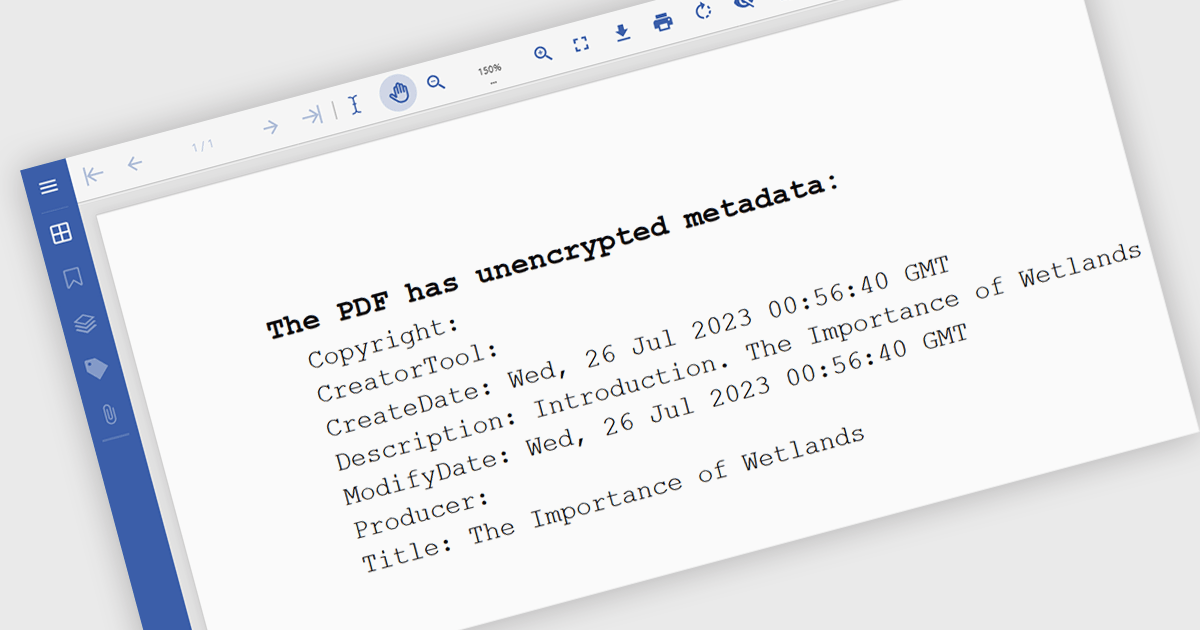
Manipulating PDF metadata unlocks powerful ways to enhance, organize, and standardize document collections. By programmatically editing underlying details such as title, author, keywords, subject, creation date, and modification history, developers can make PDFs more searchable, accessible, and compliant with standards like PDF/A. Effective metadata management transforms PDFs from simple static files into organized, retrievable assets, streamlining workflows and optimizing document handling, especially for businesses managing vast libraries of digital documents.
Several .NET PDF components offer support for manipulating metadata including:
For an in-depth analysis of features and price, visit our comparison of .NET PDF components.
電話: (888) 850 9911
Fax: +1 770 250 6199


