













公式サプライヤー
公式および認定ディストリビューターとして200社以上の開発元から正規ライセンスを直接ご提供いたします。
当社のすべてのブランドをご覧ください。
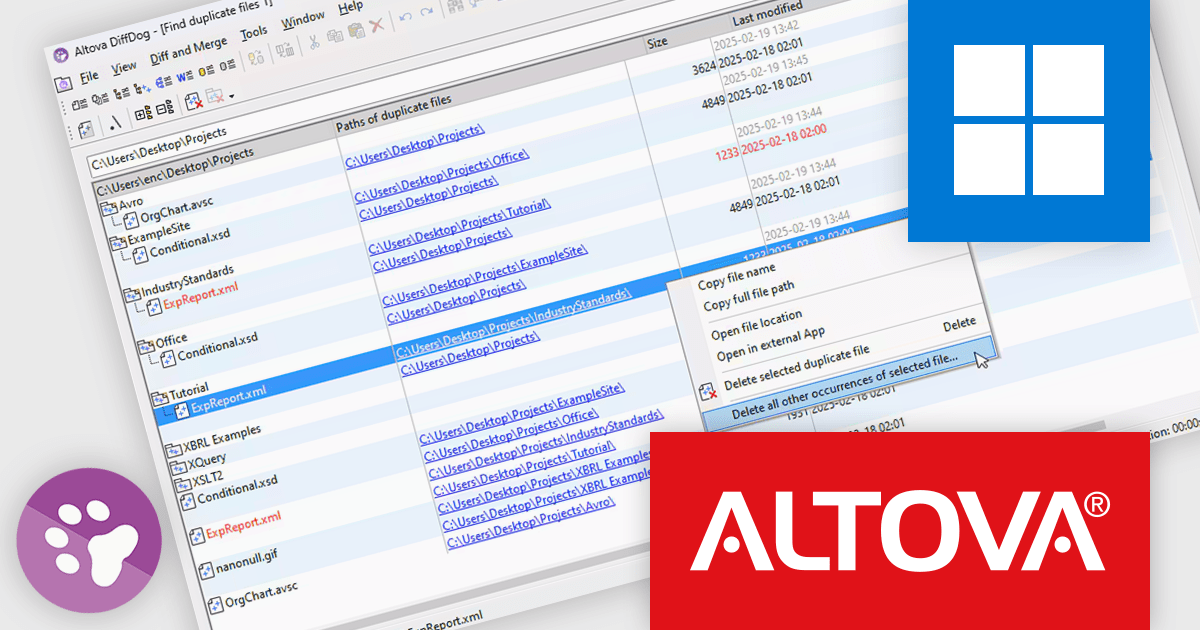
Altova DiffDog is a robust tool for comparing and synchronizing files, databases, and directories, offering a comprehensive solution for efficient data management. It supports a wide range of file types and complex data structures, ensuring precision in comparison and synchronization processes. DiffDog helps streamline data organization, minimize redundancy, and maintain clean, reliable data environments, making it an invaluable asset for managing expanding directories and ensuring data integrity.
The DiffDog 2025 Release 2 update adds deeper control for handling duplicate files across folders and subfolders. Users can now choose to automatically delete all files in a selected folder if identical copies exist elsewhere, retain only the files in a chosen folder by removing their duplicates, or remove all duplicates of a specific file to preserve a single copy. These new actions streamline cleanup tasks, reduce storage waste, and give users confidence when managing redundant files in complex directory structures.
To see a full list of what's new in version 2025 Release 2, see our release notes.
Altova DiffDog is licensed per Installed, Concurrent or Named user. Licenses are perpetual, and come with or without 1 year Support and Maintenance Package (SMP). See our Altova DiffDog licensing page for full details.
Altova DiffDog is available to buy in the following products:
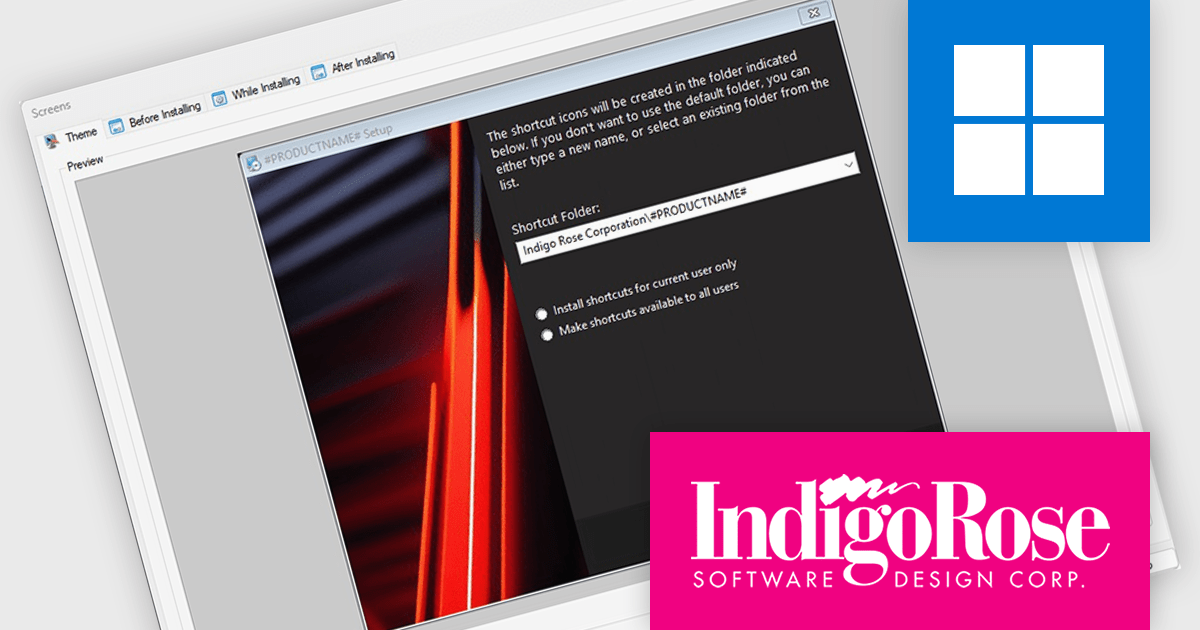
Setup Factory by Indigo Rose is a Windows installer builder designed for software developers who need to create compact, reliable, and professional software installation packages. It offers a scripting engine based on Lua that allows for extensive customization of the installation process, including logic branching, conditional operations, and integration with external components. Setup Factory is known for producing lightweight installers without requiring a dependency-heavy runtime, making it particularly suitable for applications that need to be distributed efficiently and installed with minimal user friction. Its design emphasizes control and flexibility, enabling developers to manage files, registry entries, system changes, and user interface behavior directly from the scripting environment.
The Setup Factory 10 update adds support for building Dark Mode-enabled installers, aligning with contemporary interface standards and user preferences. The new Dark Mode support is especially valuable for applications targeting macOS or Windows 11 environments, where Dark Mode is increasingly the default. By embracing this design paradigm, Setup Factory ensures that deployment interfaces not only function efficiently but also look polished and professional, reflecting well on the software being installed.
To see a full list of what's new in version 10, see our release notes.
Setup Factory is licensed per developer and is available as a Perpetual License with a 6 Months Maintenance Plan (all major and minor updates). See our Setup Factory licensing page for full details.
For more information, visit our Setup Factory product page.
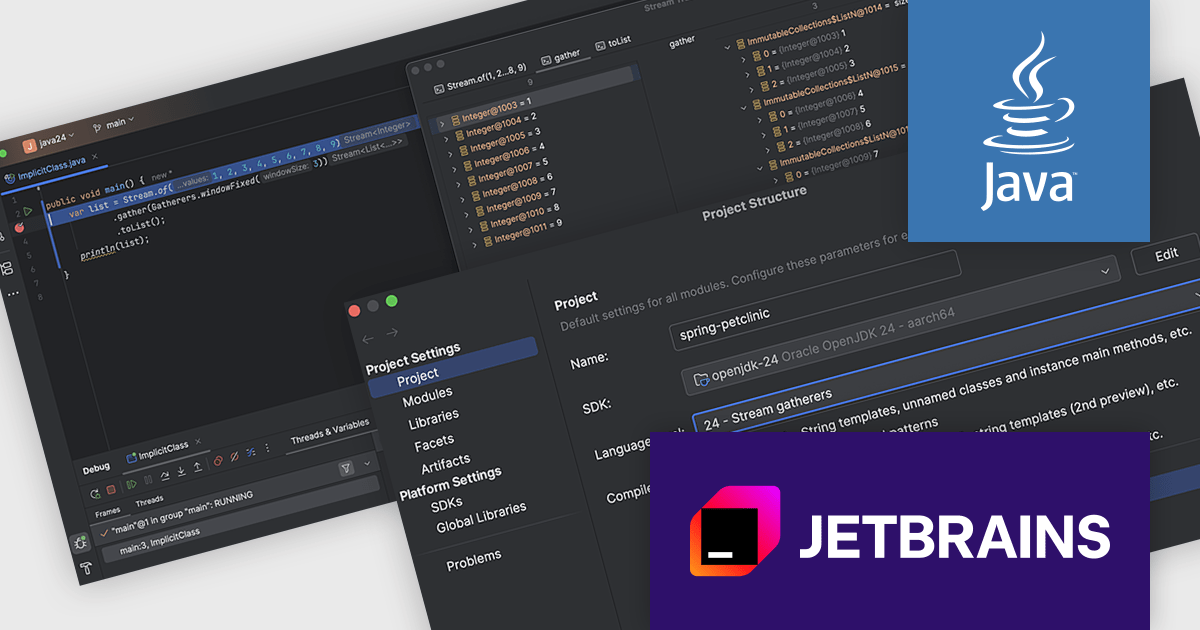
IntelliJ IDEA by JetBrains is an integrated development environment (IDE) designed to maximize developer productivity through intelligent code assistance, deep language understanding, and robust developer tools. Known for its support for Java and a wide array of other languages and frameworks, IntelliJ IDEA offers advanced code completion, on-the-fly analysis, and reliable refactoring tools that accelerate the entire development process. With a strong focus on ergonomics and performance, it enables professionals to write, test, and debug high-quality code faster and with greater confidence.
The IntelliJ IDEA 2025.1 update delivers comprehensive support for the latest Java 24 release, enabling developers to immediately benefit from all new language features. Among the highlights is full integration of stream gatherers into the stream debugging process - making it easier to visualize and manipulate data pipelines in real time. The release also ensures compatibility with every other enhancement introduced in Java 24, making it a reliable environment for working with cutting-edge Java features without compromise.
To see a full list of what's new in version 2025.1 see our release notes.
IntelliJ IDEA is licensed per user as a commercial annual subscription. We can supply New Subscriptions, Subscription Renewals, Lapsed Subscription Renewals, and Additional Developer Licenses. See our IntelliJ IDEA licensing page for full details.
IntelliJ IDEA is available to buy in the following products:
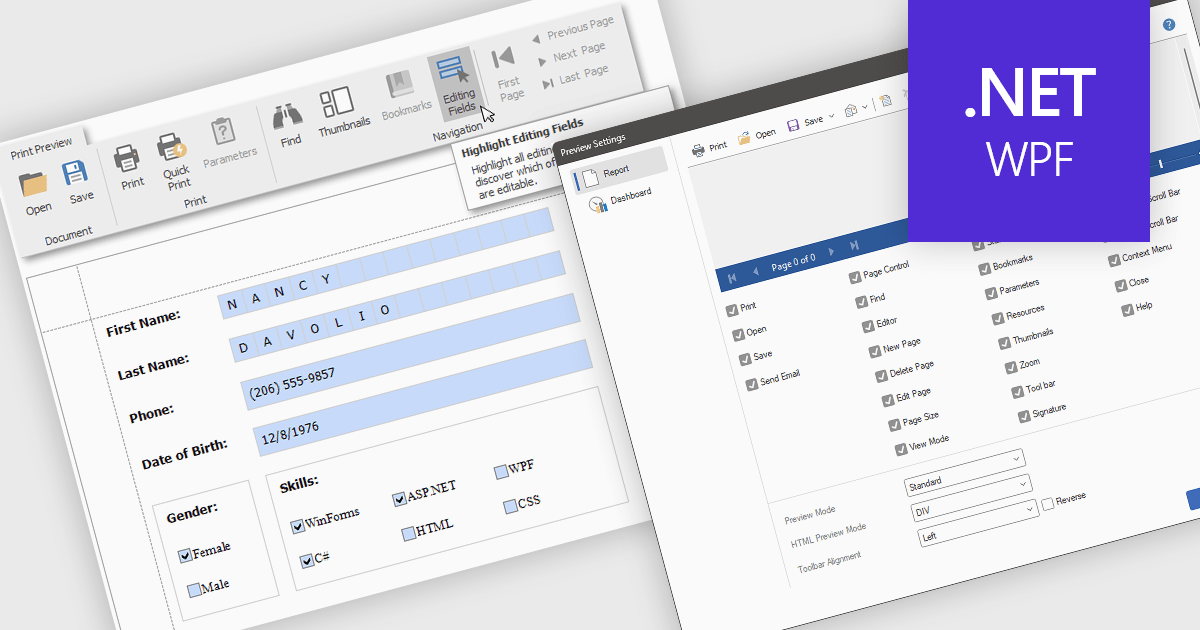
Editing reports in preview mode enables direct modification of report elements like text, charts, and layout within the review window. This approach offers benefits such as faster iteration, improved accuracy, and enhanced efficiency by eliminating the need to switch between edit and preview modes. Teams can adjust chart labels for clarity or tweak a report's layout for better presentation, instantly seeing the impact of their changes and improving the report finalization process.
Several .NET WPF Reporting Controls offer support for editing in preview including:
For an in-depth analysis of features and price, visit our comparison of .NET WPF Reporting Controls.
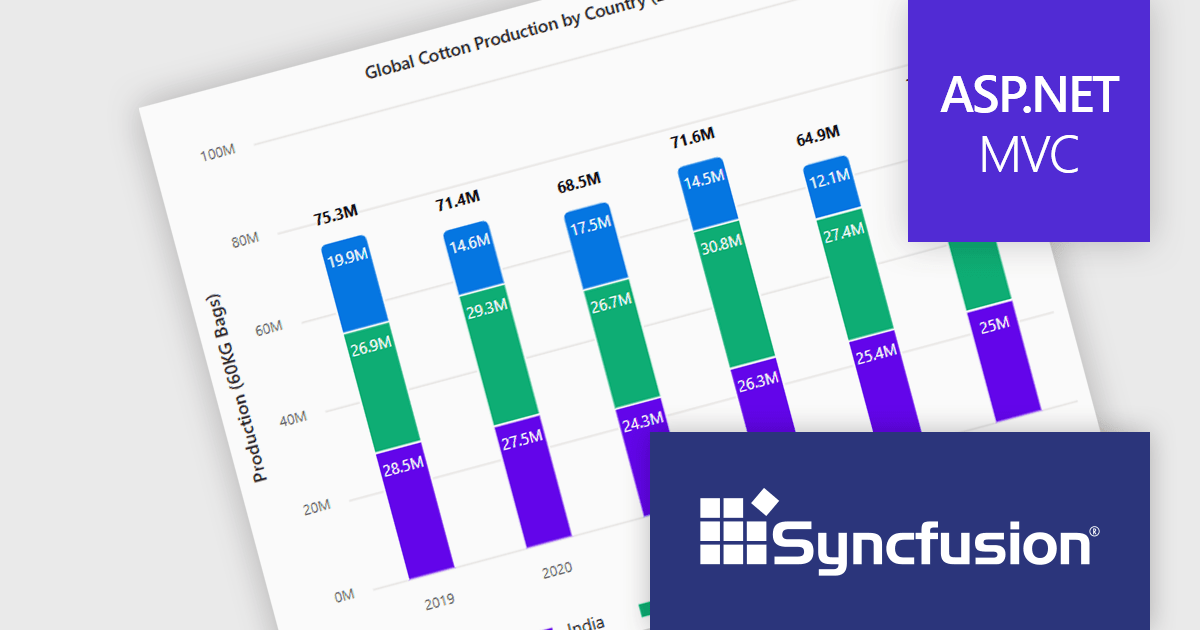
Syncfusion Essential Studio ASP.NET MVC (available as part of Syncfusion Essential Studio Enterprise) is a comprehensive suite of web UI controls that empowers developers to craft rich, interactive ASP.NET MVC applications. Backed by the lightweight and modular Essential JS 2 library, it offers over 80 components ranging from data grids and charts to schedulers and pivot grids, while ensuring a seamless integration with the MVC framework for an efficient development experience.
The Syncfusion Essential Studio ASP.NET MVC 2025 Volume 1 release introduces the ability to display cumulative totals directly within data labels on stacked charts. This enhancement provides immediate insight into the overall contributions of each category or series without requiring interaction or external calculations. By making the total visible at a glance, it improves data readability, supports faster decision making, and enhances dashboard usability, particularly in performance monitoring, financial reporting, and sales analysis applications.
To see a full list of what's new in 2025 Volume 1, see our release notes.
Syncfusion Essential Studio ASP.NET MVC is available as part of Syncfusion Essential Studio Enterprise which is licensed per developer starting with a Team License of up to five developers. It is available as a 12 Month Timed Subscription License which includes support and maintenance. See our Syncfusion Essential Studio Enterprise licensing page for full details.
Learn more on our Syncfusion Essential Studio ASP.NET MVC product page.
電話: (888) 850 9911
Fax: +1 770 250 6199


