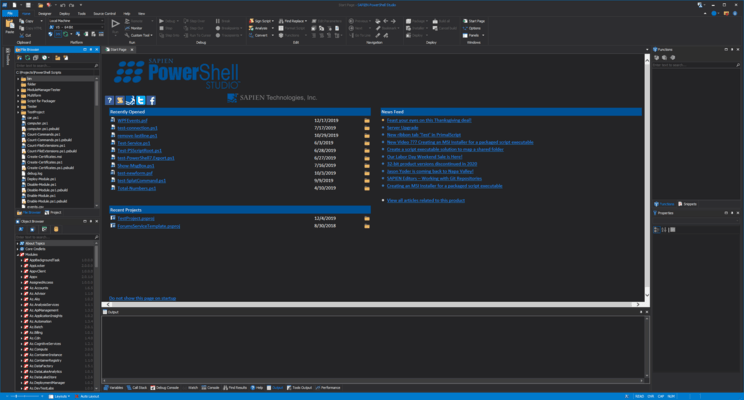
PowerShell Studio のリリース
Released: Oct 29, 2025
2025 (5.9.261) での更新項目
機能
- ARM64 Build now available.
- Added the option to disable mouse editor hover in PowerShell editor (Options->PrimalSense).
- Added support for PowerShell 7.4.13 and 7.5.4.
- Updated generated code for WebView2 control.
不具合の修正
- Required statements were removed when building projects.
- WebView2 did not always appear in toolbox when using PowerShell 7.
- CacheEdit could crash if more than one PowerShell 7 module is imported.
- Some images did not color with theme in PrimalSense.
Released: Sep 18, 2025
2025 (5.9.260) での更新項目
機能
- Added new project creation default settings.
- Added new 'Projects' section in Options.
- Added support for PowerShell 7.4.12 and 7.5.3.
- Updated default sync filter to include XAML files.
- Updated default font for console updated to Consolas, Size 10.
- Updated default name for PowerShell 7 consoles removed version information.
不具合の修正
- Fixed sizing issue with icons in some right-click menus.
- Fixed sizing issue for notification icons.
- Fixed .NET Object Browser not sorting methods, properties, and...
Released: Jul 31, 2025
2025 (5.9.259) での更新項目
不具合の修正
- Fixed a missing Certificate Store button in Options.
- Fixed syntax error shown with 'using module' statements in V7.
Released: Jul 9, 2025
2025 (5.9.258) での更新項目
機能
- Added support for PowerShell 7.4.11 and 7.5.2.
- Added Cachebuilder support for console only modules.
- Updated the Windows Forms packager engines which are renamed to 'Windows Desktop'.
- Updated the Wix Toolset updated to 3.14.1.
- Changed installer extraction location to CommonAppData.
不具合の修正
- Fixed an issue with options which did not always allow for scroll.
- Opening PowerShell file first in WPF project sometimes caused an exception.
- Options layout did not always auto-size correctly.
- Resolved an...
Released: Jun 16, 2025
2025 (5.9.257) での更新項目
機能
- Added the option to generate WPF loading code for XAML files in projects.
- Added WPF Project Template.
- Added SAPIEN Batch Sign Tool added to ribbon (Tools -> SAPIEN Products and Tools).
- Added support for PowerShell 7.4.10.
- Added the option to add internal modules to packaged applications for PowerShell 7.x.
- Added pre-built cache files for Microsoft Graph 2.28.0.
- XAML files can now can be included in build process for projects.
不具合の修正
- Fixed an issue with Find in Files which was missing a...
Released: May 7, 2025
2025 (5.9.256) での更新項目
機能
- Added support for PowerShell 7.5.1.
- Added the option to remove restore points on file close.
- Added new editor setting sections for XAML and SQL files.
- Added pre-built cache files for Microsoft Graph 2.27.0.
- Updated layout options.
不具合の修正
- Fixed an error in the WPF preview when loading window resources.
- Fixed error when exporting XAML.
Released: Apr 4, 2025
2025 (5.9.255) での更新項目
機能
- PowerShell Tray Application engine now enables icon and hover text changes dynamically.
不具合の修正
- Fixed 'Jump to function'.
Released: Mar 11, 2025
2025 (5.9.254) での更新項目
機能
- Exceptions from the PowerShell Cachebuilder are now shown in the Tool Output panel after completion.
- ScriptMerge adds options to determine how files are compared in folder compare.
- The CacheExport redistributable was removed from the installer and can now be downloaded from the SAPIEN Account page.
- Updated UI Library.
不具合の修正
- Custom action parameters were missing a space when building MSI in SAPIEN Script Packager.
Released: Jan 30, 2025
2025 (5.9.253) での更新項目
機能
- Added support for PowerShell 7.4.7 and 7.5.0.
- Added an option to copy PowerShell 7 reference assemblies to packaged executables.
- Added .NET 9 Desktop Runtime to installer.
- Updated support for PowerShell 7.2.x and 7.3.x deprecated except for final versions.
- RSEE Installers have been updated to include PowerShell and runtime changes.
- Updated UI Library.
不具合の修正
- Fixed ProgessBarOverlay generated code missing assembly.
- Fixed Visual C++ 2015-2022 runtime causes error during install process.
- Fixed...
Released: Jan 15, 2025
2025 (5.9.252) での更新項目
機能
- Added a preview for WPF XAML files.
- Added a format XAML file.
- Added pre-built cache files for Microsoft Graph 2.25.0 and other updated modules.
- Added MSI Builder that accepts module folders by drag & drop and determines highest module version automatically.
- Updated generated code for PSF files: Updated assemblies referenced when using PowerShell 7.
- Updated included .NET Desktop Runtime to 8.0.11.
不具合の修正
- Fixed XAML export bugs with DataGridView.
- Fixed Snippet Editor that created unwanted...


 (3)
(3)