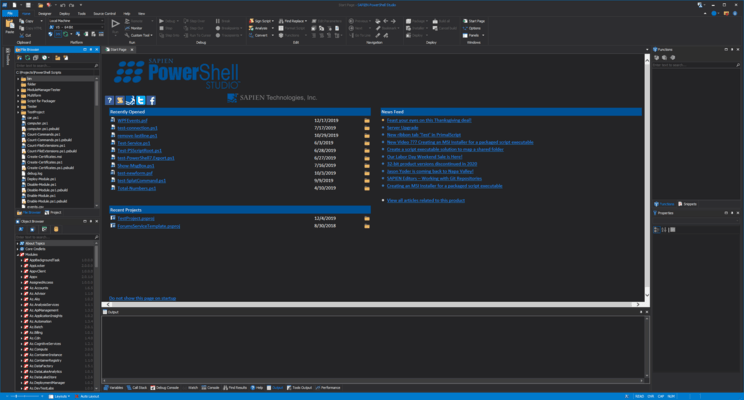
PowerShell Studio のリリース
Released: Apr 6, 2023
2023 (5.8.220) での更新項目
機能
- MSI Builder can now include Microsoft PowerShell and PowerShell 7 modules with your installer.
- Added a new property called SetProgressBarColors to ProgressBarOverlay control to set progress bar color using the ForeColor and BackColor properties.
- Minor changes to Module.psd1 file template.
- Changed module export location for module projects. Module version is now included in build path to match paths for modules installed by PowerShellGet.
不具合の修正
- SAPIENCommandline tool exiting immediately at...
Released: Mar 9, 2023
2023 (5.8.219) での更新項目
機能
- Added support for Microsoft PowerShell 7.2.10 and 7.3.3.
- Added new SAPIEN Backup Tool which allows you to backup your source code. Specifically, all of the files you need to rebuild a product.
- Added the option to add Readme file to project from Project pane.
不具合の修正
- Exception when opening file while documents are horizontally or vertically document group.
- Exception when adding file to project when documents are horizontally or vertically grouped.
- Local assembly references for Startup.pss file...
Released: Feb 9, 2023
2023 (5.8.218) での更新項目
不具合の修正
- Some assemblies in installer not signed.
- Other minor changes and fixes.
Released: Jan 30, 2023
2023 (5.8.217) での更新項目
機能
- Added support for Microsoft PowerShell 7.2.9 and 7.3.2.
不具合の修正
- Editor not loading snippets from custom snippet folder.
- Packaged scripts for PowerShell 7 using the 'Tray' or 'Windows App' engines do not show the about box.
- Other minor changes and fixes.
Released: Jan 23, 2023
2023 (5.8.216) での更新項目
機能
- PowerShell Version Selector now has an option to run installers silent or interactive.
- Updated all database connectors to Microsoft .NET Framework 4.8.
- Removed deprecated Oracle connector.
不具合の修正
- Unable to connect with Postgres connection via the Database panel.
- Invoke-WebRequest causes exception with Windows PowerShell when running from PrimalScript.
- Better recognition of connectivity issue during product unlock.
- Unable to run scripts on 32-bit platform.
- SAPIEN PowerShell V5 command line...
Released: Jan 10, 2023
2023 (5.8.215) での更新項目
不具合の修正
- Updated Start page artwork.
Released: Jan 9, 2023
2023 (5.8.214) での更新項目
機能
- MSI builder
- Adds the ability to manually generate new Product and Upgrade codes.
- Now supports different UI dialog collections.
- Now supports dialog bitmap customization.
- Microsoft PowerShell Version Selector can now toggle Microsoft Windows Update for PowerShell 7.
- Added support for PowerShell 7.2.8.
- Updated to use Microsoft Visual Studio 2022 runtime.
- Updated Assemblies dialog to show full name of assembly.
不具合の修正
- Webview2 assemblies not being recognized as loaded.
- Newline characters filtered...
Released: Jan 7, 2022
2022 での更新項目
2022 (5.8.213)
Updated Nov 15, 2022
Features
- Added support for Microsoft PowerShell 7.3.
Fixes
- Filtered out paragraph symbol from debug variable values.
- Add-Type C# classes failing to parse.
- Other minor changes and fixes.
2022 (5.8.212)
Updated Oct 28, 2022
Features
- Added support for Microsoft PowerShell 7.0.13.
- Added support for PowerShell 7.2.7.
- Added an experimental PowerShell obfuscator for SAPIEN Script Packager.
Fixes
- Formatting moves parameter into comment when 'Insert new line after...
Released: Jan 15, 2021
2021 での更新項目
2021 (5.8.196)
Updated Nov 15, 2021
Features
- Added support for Microsoft PowerShell 7.0.8 and 7.1.5.
- Added support for trial extensions.
- Improved speed with strings when using Intellisense with large files.
Fixes
- Ampersand character in output file name prevents packaging.
- Build All button on ribbon failed to properly build projects or psf files.
- Editor splitter scroll bar failed to draw properly after second time splitting.
- Export to XAML button not disabled on ribbon.
- Export to Clipboard was...
Released: Jan 13, 2020
2020 での更新項目
2020 (5.7.182)
Updated Oct 23, 2020
Features
- Updated SAPIEN Script Packager (v1.0.26).
- MSI Builder and Script Packager can now create hash files for packaged executables and MSI files. (MD5, SHA1and SHA256).
- Added new version of SAPIEN Script Explorer (v1.1.8).
- Added new sign and remove signature functions.
- Added verify script hash functionality.
- Added unblock file function.
- Added a prompt before executing unsigned/unverified files.
- Added a context menu for Recents on the File menu.
- Added pester...


 (3)
(3)