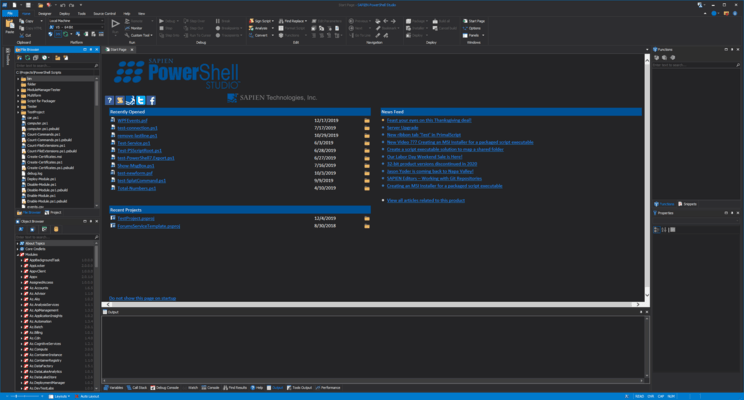
Released: Oct 29, 2019
2019 (5.6.169) での更新項目
不具合の修正
- Fixed: Custom actions crashing in SAPIEN Script Packager.
- Fixed: Saving on projects reloads and opens the files.
- Fixed: Debugging in V2 not working.
- Fixed: Staging folder should no longer be created.
- Fixed: Variable and Function breakpoints should not be enable in V2.
Released: Oct 21, 2019
2019 (5.6.168) での更新項目
機能
- Added: SAPIEN Script Packager is a new tool to edit and build packaged executables.
- Added: New File Browser Panel.
- Updated: Updated UI Library.
- Updated: GIT Clone is always enabled when Source Control is set to GIT.
不具合の修正
- Fixed: GIT Clone causing exception when unsaved file is opened.
- Fixed: Search on multiple panels not clearing correctly.
- Fixed: ModuleVersion in Module Projects not updating in psd1 files.
- Fixed: Splat Command not working in some cases and adding extra space.
- Fixed: Signing...
Released: Aug 14, 2019
2019 (v5.6.167) での更新項目
機能
- Added: Upgrade to Microsoft Visual Studio 2019 runtime.
- Updated: RSEE component path changed (RSEE not backwards compatible with older versions).
不具合の修正
- Fixed: Unable to debug remotely (RSEE).
- Fixed: Import Remote Cache dialog text cut off.
- Fixed: Splat Command cutting off closing parenthesis.
- Fixed: Missing .gitignore file in Templates folder.
- Fixed: Scaling of PrimalSense icons.
- Fixed: Here-string coloring issue after edit.
Released: Mar 6, 2019
2019 (v5.6.160) での更新項目
機能
Profile Management
You now have more control over your service installer’s behavior.
- Ribbon->Tools->PowerShell Profiles
- Open All - Opens all the existing profiles in the editor.
- Manage - Allows you to edit, enable, disable, create and remove individual profiles.
- Enable All - Enables all disabled profiles.
- Disable All - Disables all the profiles. Disabled profiles will not be loaded into the PowerShell session, and disabling all profiles will not affect any active instances of PowerShell...
Released: Feb 14, 2019
2019 (v5.6.159) での更新項目
機能
- New Service Installer Settings
- You now have more control over your service installer's behavior.
- You can now specify which account the service will run under, and also control whether the service is stopped or started during installation.
- You can enable the service to interact with the desktop via the installer.
- Note: The Service Settings tab will only appear when the Project Type is set to Windows Service.
- New DataGridView Return Variable
- This build introduces a new return variable for the...
Released: Feb 4, 2019
2019 (5.6.158) での更新項目
機能
- Added: References will be highlighted automatically (Options->Editor->Enable automatic reference highlighting).
- Added: Reference highlighting for non-PowerShell files (Text-based).
- Added: PrimalSense for assemblies referenced in the RequiredAssemblies and ModuleToProcess fields of the module project's manifest.
- Updated: Find All References now includes attributes and unknown commands.
- Updated: Reference highlighting will default to the text comparison when text is selected.
- Updated...
Released: Nov 30, 2018
2019 (5.6.156) での更新項目
機能
- Added: SAPIEN tools to the Tools tab of the ribbon.
- Added: Script Security Center to handle execution policy (Replaces the previous execution policy manager).
- Added: "Search PSGallery for Module..." command to editor context menu to search the gallery for the unknown cmdlet's module in module manager.
- Added: Watch Panel will now color value changes in red.
- Added: "User" tag to user generated templates and "Preset" to preinstalled templates.
- Added: Combobox to the templates dialog that filters...
Released: Apr 25, 2018
2018 (Service Release v5.5.151) での更新項目
機能
- Custom Actions for MSI Installers - You can now specify custom actions for your MSI Installers. Custom Actions allow you to run custom scripts and tools during the installation process.
- Service Installer Option - PowerShell Studio now allows you to create installer for service executables. You can use this option in conjunction with the service packager engine.
- Updated New File and New Project Dialogs - Redesigned dialogs allow you to select file or project templates.
Released: Feb 5, 2018
2018 での更新項目
機能
- PrimalSense cache now includes additional information, such as parameter set names, return values and validation sets.
- PrimalSense will now provide a list of assemblies for the using statement’s assembly parameter.
- PowerShell Studio now provides PrimalSense for a module’s cmdlets when using the module’s fully qualified name.
- When working with a cmdlet or function, you can trigger the parameter set completion pop-up by pressing [Ctrl + Shift + Space]:
- Customizable console and PowerShell Core...
Released: Jan 18, 2017
2017 (5.4.134) での更新項目
機能
- Updated Control Helper Functions - The control helper functions are now PSScriptAnalyzer complaint. To comply with PSScriptAnalyzer’s best practices, the helper functions’ unapproved Load verb has been replaced with the approved Update verb. A number of form templates and control sets have also been updated to reflect these changes.
- Updated Editor Font and Coloring Settings Dialog - Added a language selection to the Editor Font and Coloring Settings dialog. The dialog now distinguishes the...


 (3)
(3)