













公式サプライヤー
公式および認定ディストリビューターとして200社以上の開発元から正規ライセンスを直接ご提供いたします。
当社のすべてのブランドをご覧ください。

The PDF Xpansion SDK from Soft Xpansion is a powerful development toolkit for integrating advanced PDF and electronic document processing into desktop, server, and mobile applications. It supports creating, editing, converting, displaying, and printing PDF files, along with handling related formats like XPS and OpenXPS. The SDK complies with ISO PDF standards and offers robust features for digital signatures, form processing, text extraction, and document security. It also includes specialized capabilities for e-invoicing, supporting formats such as ZUGFeRD and Factur-X, and provides PDF viewer functionality for seamless document display. This makes it an ideal solution for automating document workflows and ensuring regulatory compliance in enterprise environments.
The PDF Xpansion SDK 17.1.3 update introduces official support for both .NET 8 and the latest .NET 9, enabling developers to integrate advanced PDF functionality into modern applications while taking full advantage of the newest runtime optimizations and language enhancements. This ensures higher performance, improved scalability, and stronger security for document processing solutions. With support for .NET 9, development teams can leverage cutting-edge features such as improved Just-In-Time (JIT) and native Ahead-Of-Time (AOT) compilation, resulting in faster application startup times and reduced memory consumption. This update helps future-proof projects and supports the latest trends in application development.
PDF Xpansion SDK products are licensed per company location where developers use the SDKs. Optional Add-Ons are available which require ownership of SDK site licenses. Maintenance Subscription is available providing product updates (error corrections) and support services. See the product license pages for full details:
Learn more about PDF Xpansion SDK on our product pages:
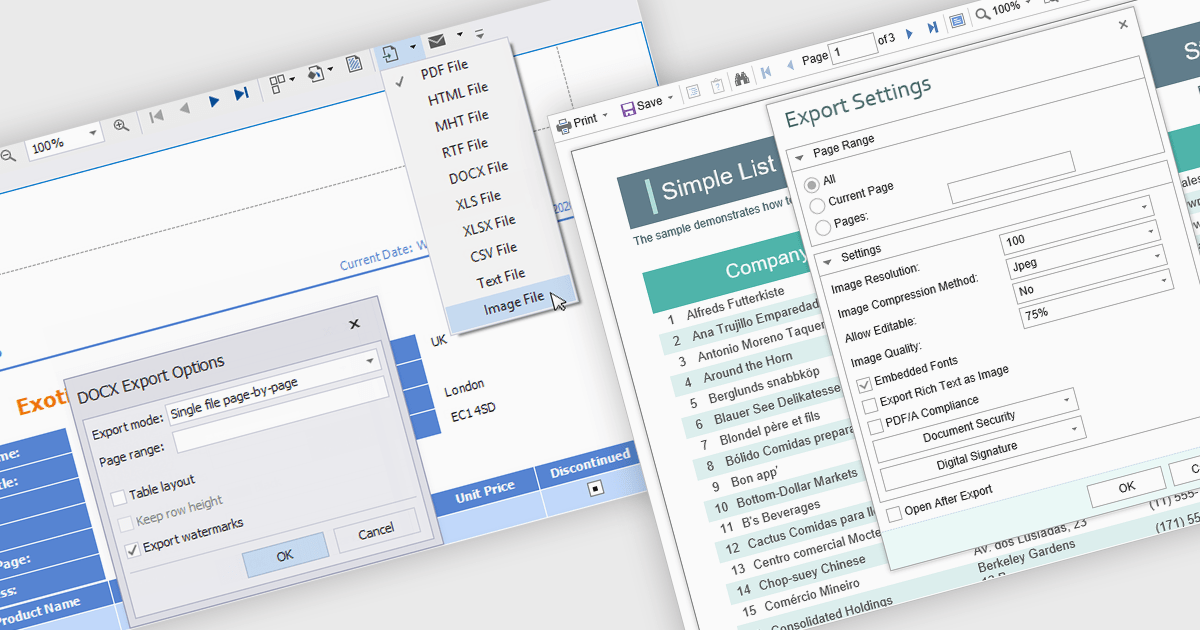
The export to image feature in reporting tools allows users to save a static visual representation of their reports in common image formats such as PNG or JPEG. This functionality offers numerous benefits, including simplified sharing across diverse platforms without requiring specific software, ensuring the consistent presentation of data by preserving formatting and visualizations, and enabling offline access for users who may not have continuous network connectivity. Example use cases include easily embedding key performance indicator dashboards into presentations or emails for broad dissemination, archiving reports for historical record-keeping, and providing accessible versions of data insights for individuals who prefer or require visual formats.
Several .NET WPF reporting controls offer image exporting including:
For an in-depth analysis of features and price, visit our WPF Reporting controls comparison.
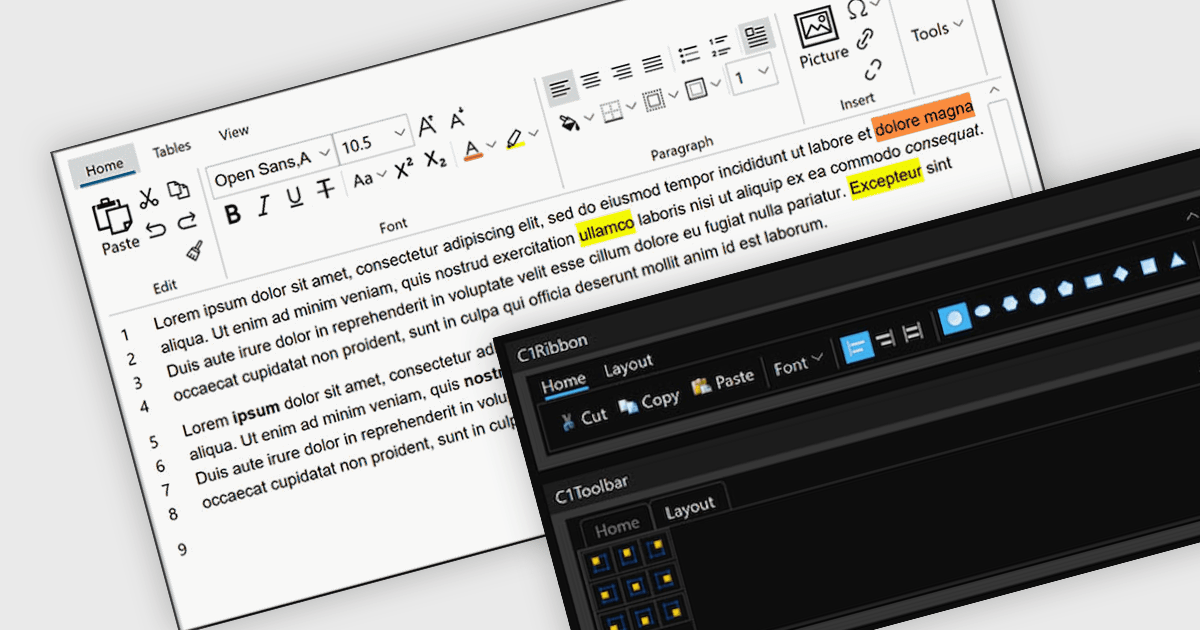
A toolbar user interface component is a horizontal or vertical strip that contains a set of buttons, icons, dropdowns or menus designed to provide quick access to commonly used functions within a software application. These customizable toolbars streamline user interactions by grouping related tools in a consistent and easily accessible location, often near the top or side of the interface. Toolbars enhance productivity by minimizing the number of steps required to perform frequent tasks, improving efficiency, and reducing the need to navigate through deeper menu hierarchies. Such a component also contributes to a cleaner and more organized interface, helping users perform actions more intuitively and with fewer interruptions.
Several WPF user interface suites provide you with toolbars, including:
For an in-depth analysis of features and price, visit our comparison of WPF user interface suites.
Spread.NET by MESCIUS is a powerful tool for building Excel-like applications in your .NET projects. It lets you create interactive spreadsheets, grids, dashboards, and even forms within WinForms, ASP.NET, and WPF applications. With its rich feature set, including a robust calculation engine, formula support, and Excel compatibility, Spread.NET empowers developers to build data analysis tools, budgeting apps, scientific dashboards, and more, all within the familiar .NET environment.
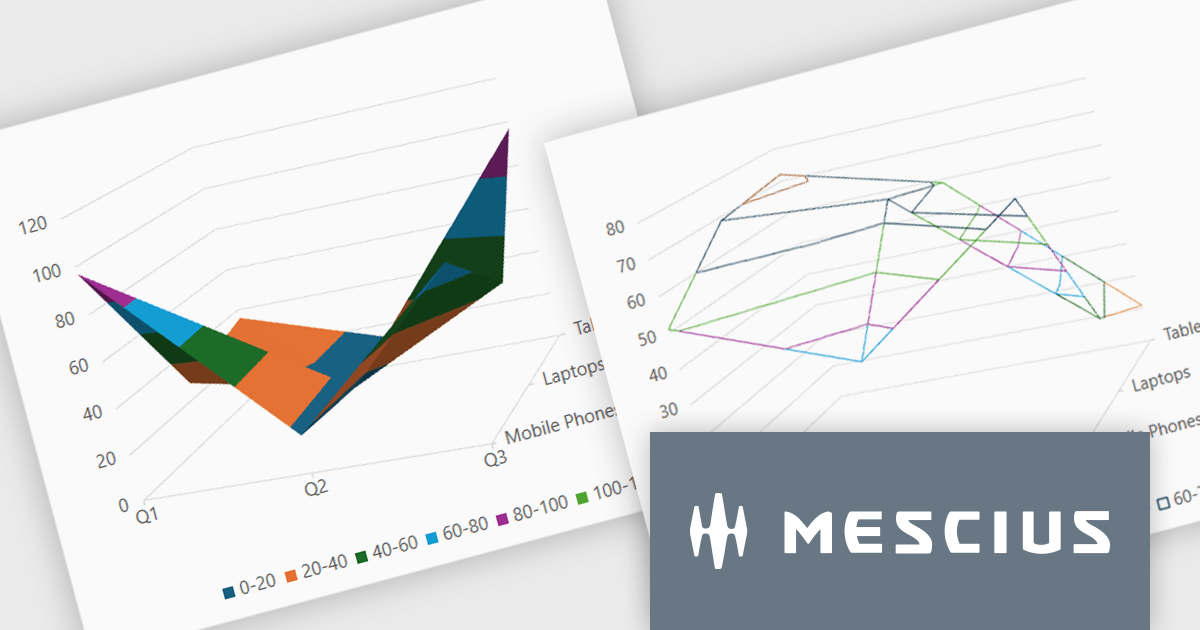
The Spread.NET v18.1 update introduces a new surface chart feature for WPF, providing developers with the capability to render spreadsheet data on a three-dimensional plane. By offering this advanced charting functionality, developers can create more sophisticated data visualization solutions within their WPF applications, allowing end-users to gain deeper insights into complex data and identify key correlations that may not be evident in two-dimensional representations. This feature expands the analytical tools available within Spread.NET, allowing for more nuanced and comprehensive data exploration.
To see a full list of what's new in v18.1, see our release notes.
Spread.NET is licensed per developer and is available as a Perpetual License with a 12 month support and maintenance subscription. We can supply any Spread.NET license including new licenses, maintenance renewals, and upgrade licenses. See our Spread.NET licensing page for full details.
For more information, visit our Spread.NET product page.

Rating controls in data editors provide a visually intuitive and standardized method for capturing subjective assessments. Users can interact with visual scales like stars, sliders, or thumbs to express opinions or evaluations on a predefined spectrum. These controls can also be precisely tailored with options like half-star ratings or continuous sliders, allowing for nuanced feedback beyond basic scales and providing a clearer understanding of sentiment that leads to more insightful analysis and better decision-making.
Several .NET WPF data editor collections provide rating controls including:
For an in-depth analysis of features and price, visit our .NET WPF Data Editors comparison.
電話: (888) 850 9911
Fax: +1 770 250 6199


