













公式サプライヤー
公式および認定ディストリビューターとして200社以上の開発元から正規ライセンスを直接ご提供いたします。
当社のすべてのブランドをご覧ください。
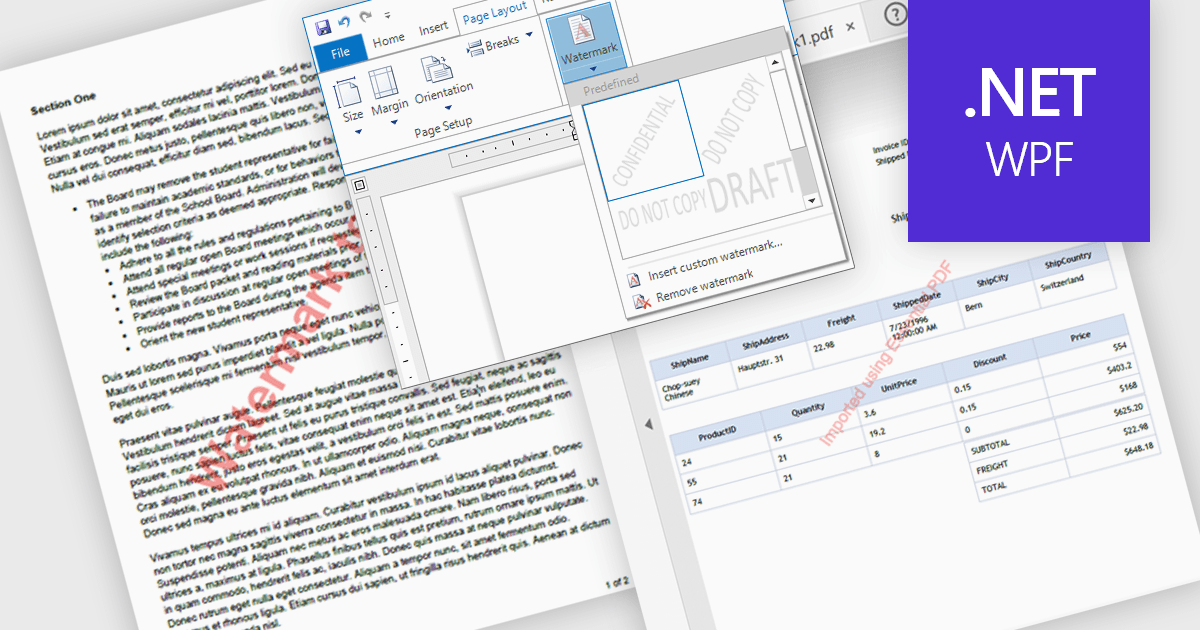
Watermarks in PDFs are semi-transparent text or image overlays that serve as a security and branding tool by marking documents with identifying information. They help protect intellectual property, prevent unauthorized distribution, and reinforce authenticity by displaying ownership, confidentiality, or document status (e.g., "Draft," "Confidential," or "Approved"). Watermarking also enhances professionalism by incorporating company logos or copyright notices. Common use cases include securing legal contracts, corporate reports, research papers, and sensitive business documents to ensure proper handling and compliance. By integrating customizable watermarking, organizations can maintain control over their digital documents while preserving readability and usability.
Several .NET WPF PDF components allow you to add watermarks, including:
For an in-depth analysis of features and price, visit our comparison of .NET WPF PDF components.
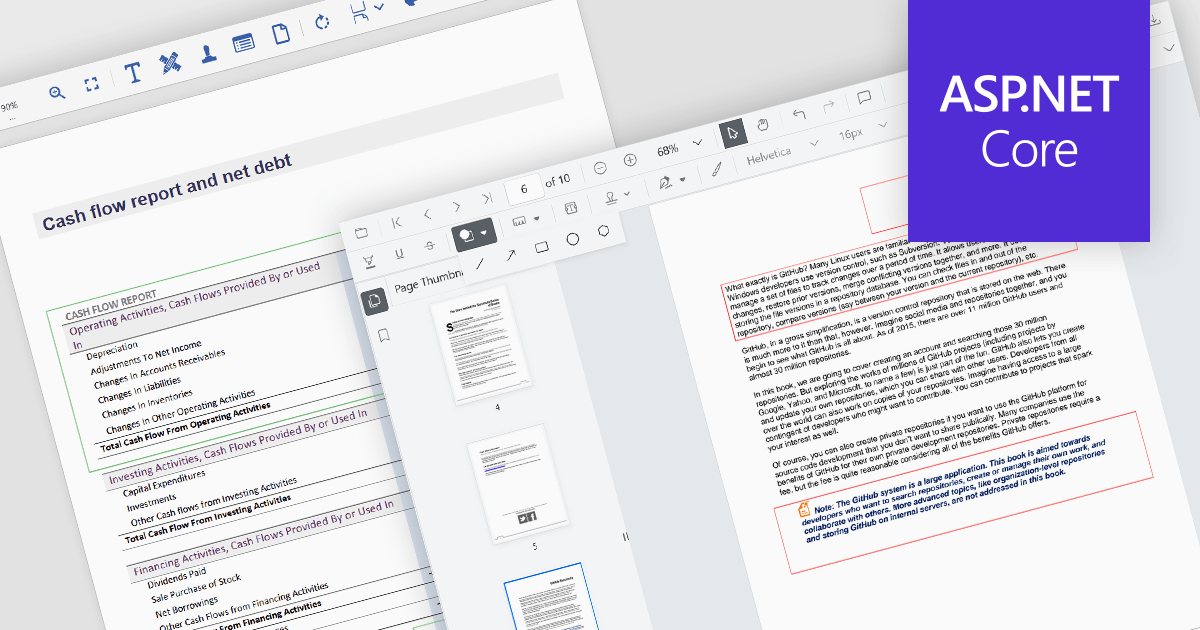
Rectangle annotations in PDF controls allow users to highlight specific areas within a document by drawing rectangular shapes. These annotations are useful for marking sections for review, redaction, or emphasis without altering the original document content. Typically, rectangle annotations support customization options such as border color, fill color, opacity, and line thickness, enabling users to tailor them to their needs. Many PDF viewer components also provide interactive features, such as the ability to move, resize, or delete annotations, ensuring flexibility in document review and collaboration workflows.
Several ASP.NET Core PDF viewer controls offer rectangle annotations including:
For an in-depth analysis of features and price, visit our ASP.NET Core PDF viewers comparison.
Secure PDF by /n software is a powerful development library designed to provide enterprise-grade security for PDF documents. It enables developers to sign, verify, encrypt, and decrypt PDFs with ease, ensuring compliance with modern security standards. Supporting Basic Adobe Signatures and advanced PAdES levels (B-B, B-T, B-LT, B-LTA, and PAdES-EPES), Secure PDF ensures long-term document authenticity and integrity. With password and certificate-based encryption, seamless Public Key Infrastructure (PKI) integration, and support for qualified signatures and EU Trusted Lists, the library delivers a comprehensive solution for securing digital documents. Built on the proven security technologies of SecureBlackbox, Secure PDF combines reliability with an intuitive API for effortless implementation across platforms.
Secure PDF empowers businesses to automate and streamline secure document workflows, making it ideal for enterprise security applications, legal and compliance processes, and document management systems. It supports fillable PDF forms, allowing organizations to create, modify, and process interactive PDFs efficiently. Advanced features like timestamped certification (TSA) and the ability to update existing signatures with CRLs or OCSP responses further enhance security and compliance. Designed for performance and reliability, Secure PDF is rigorously tested, thread-safe, and optimized for resource efficiency. Backed by comprehensive documentation and professional support, it enables developers to quickly integrate trusted, high-performance PDF security into their applications.
Secure PDF is licensed per developer and is available as a Perpetual License with a 12 month support and maintenance subscription. See our Secure PDF licensing page for full details.
Secure PDF is available to buy in the following products:
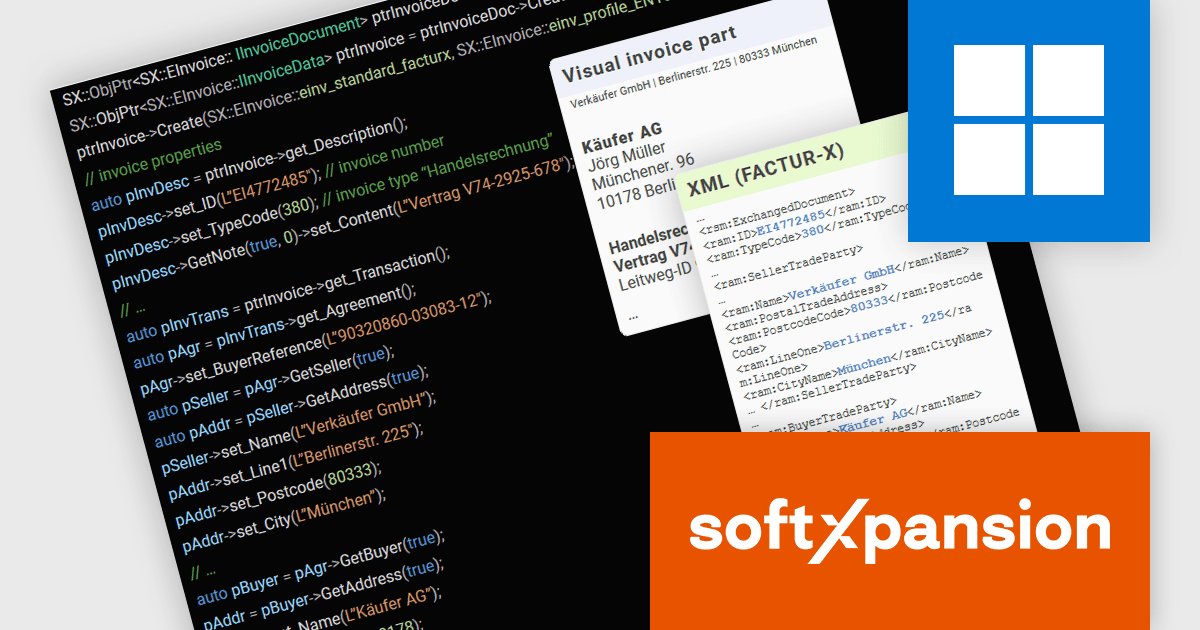
PDF Xpansion SDK – E-Invoicing from soft Xpansion is a comprehensive software development kit designed to facilitate the creation, processing, and management of electronic invoices in compliance with international standards. The SDK simplifies integration into existing applications, allowing seamless handling of structured invoice data in XML, and the hybrid format PDF/A, thereby enabling digital invoicing workflows, enhancing automation, and ensuring legal conformity.
As of January 1, 2025, Germany has implemented a mandatory e-invoicing regulation requiring businesses to receive and process invoices compliant with the EU standard EN 16931. With paper invoices losing their priority status, companies must now adapt swiftly to digital invoicing formats. To support this transition, the PDF Xpansion SDK – E-Invoicing 17.1.2 offers enhanced functionality for XRechnung and Factur-X/ZUGFeRD, ensuring seamless compliance. Among other enhancements the SDK now supports the credit note (code 381) in XRechnung (UBL syntax) and enables extraction of non-standard XMLs from Factur-X/ZUGFeRD invoices for greater flexibility.
To see a full list of what's new in v17, see our release notes.
soft Xpansion offers the following products to meet your e-Invoice needs:
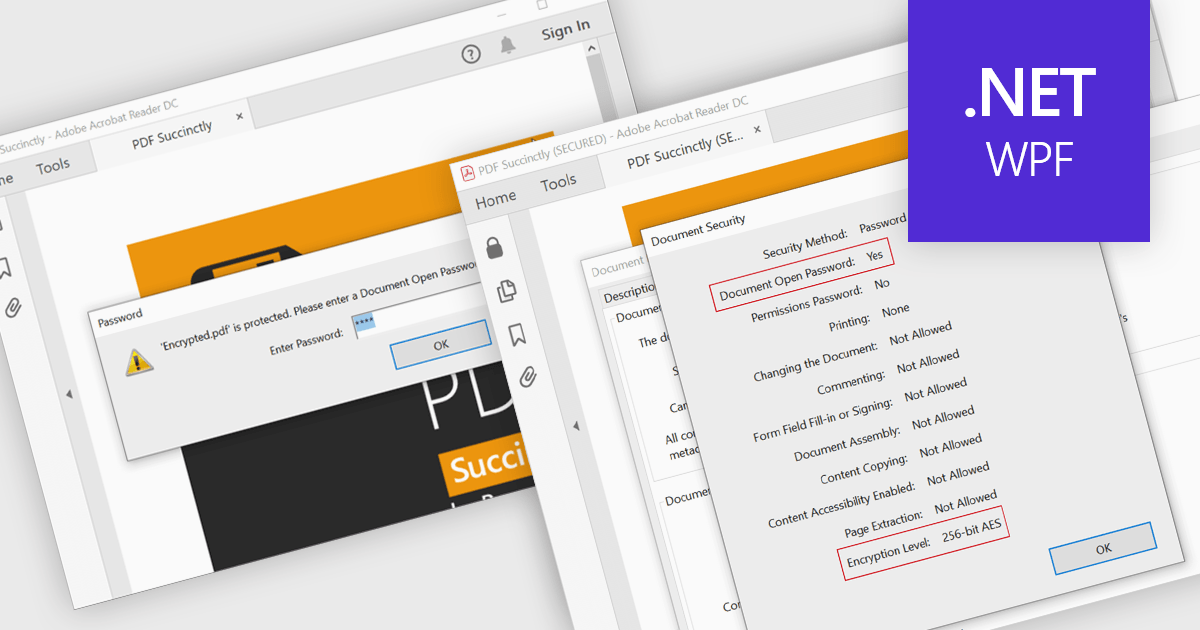
Encrypting and decrypting PDFs protect sensitive information by preventing unauthorized access, data breaches, and cyber threats. With strong encryption, password protection, and role-based access control, it ensures document confidentiality while allowing secure sharing and controlled modifications. Decryption enables authorized users to access protected files without compromising security. Essential for businesses, legal firms, and financial institutions, it safeguards contracts, financial records, and proprietary data while ensuring compliance with data protection regulations.
Several .NET WPF PDF controls offer encryption and decryption support including:
For an in-depth analysis of features and price, visit our .NET WPF PDF controls comparison.
電話: (888) 850 9911
Fax: +1 770 250 6199


